FlyingPress vs. Perfmatters: Which One Should You Choose to Optimize WordPress in 2026?

FlyingPress is an all-in-one caching and optimization plugin (caching, Critical CSS, images, minification). Perfmatters is a surgical cleanup plugin that disables unnecessary WordPress code and checks every script on every page. The two don’t do the same job: in most cases, FlyingPress alone is sufficient. For a site with high SEO stakes, the two together are unbeatable.
🏆 My verdict: Start with FlyingPress, then add Perfmatters if needed
FlyingPress is part of the official schoolsWP stack. For 90% of WordPress sites, it covers all performance needs. Perfmatters steps in to help on e-commerce or high-traffic sites, to finely disable every unnecessary script.
You’re looking to speed up your WordPress site and are torn between FlyingPress and Perfmatters. These two plugins often come up in comparisons, but they don’t do the same thing – and that’s precisely where many freelancers get stuck before making a decision.
Before installing anything, it’s best to understand what you’re actually optimizing, and why these two tools follow different approaches.
The real problem: optimizing WordPress without knowing what to connect where
You have a WordPress site that loads slowly. You open PageSpeed Insights, see scores in the red, and the recommendations look like a shopping list in Latin: “Eliminate render-blocking resources,” “Reduce unused JavaScript,” “Serve static assets with an efficient cache policy”…
So you look for a plugin. And there, two names keep popping up in forums and tutorials: FlyingPress and Perfmatters.
The problem is that a lot of content compares them as if they were interchangeable. They aren’t. One is an all-in-one performance plugin. The other is a code cleanup and optimization plugin. Using one instead of the other is like choosing between a full toolbox and a specialized Swiss Army knife.
This guide is here to help you clearly understand what each one does, in which cases one outperforms the other, and how to decide based on your actual WordPress setup.
Why FlyingPress and Perfmatters Don’t Solve the Same Problems
WordPress performance isn’t a single issue
A slow site can suffer from several distinct issues:
- Poorly configured caching: every visitor reloads the site from the server
- Unnecessary resources: scripts and styles loaded on every page for no reason
- Unoptimized code: unminified, undelayed JavaScript and CSS
- A cluttered database: accumulated revisions, transients, and orphaned options
- Heavy images: outdated formats, inappropriate sizes
These issues don’t all have the same solution. And that’s why comparing FlyingPress and Perfmatters first requires understanding what each one addresses.
FlyingPress: an integrated performance solution
FlyingPress is a caching and performance optimization plugin designed to cover as many needs as possible in one place. It handles:
- Page caching (with automatic flushing)
- CSS/JS minification and concatenation
- Deferred and asynchronous script loading
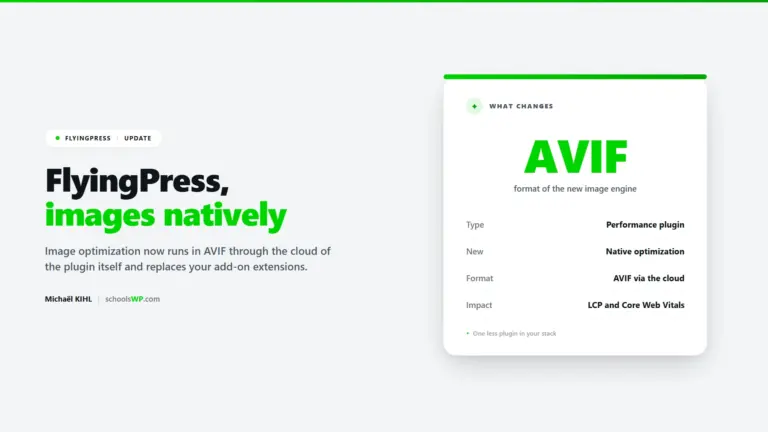
- Image optimization (WebP, lazy load, preload)
- Critical CSS: automatic generation of priority styles to display the visible part of the page first
- Browser cache and HTTP header management
- Database optimization
- Google Fonts management (local hosting)
This is a plugin designed to replace several tools at once: WP Rocket, Autoptimize, Imagify, and some of what Perfmatters does.
Perfmatters: a surgical code-cleaning tool
Perfmatters is designed differently. It is not a caching plugin. Its main goal is to disable what is not needed, script by script, page by page if necessary.
It allows you to:
- Disable unnecessary scripts and styles by URL or globally
- Remove superfluous WordPress elements (emoji scripts, oEmbed, XML-RPC, unused REST API, etc.)
- Enable native lazy loading
- Manage database settings (clean up revisions, transients, etc.)
- Enable Script Manager: an interface that lets you choose, page by page, which JavaScript or CSS scripts should load. This is Perfmatters’ most distinctive feature.
Perfmatters is often used in conjunction with a caching plugin, not as a replacement for it. It excels where FlyingPress falls short: in the granular control of loaded resources.
What exactly does each plugin cover?
Option 1: FlyingPress alone
Who it’s for: freelancers and solopreneurs who want a complete solution – without piling on plugins – for a site with moderate traffic.
What it does well:
- Robust caching with fine-grained context management (logged in/out, WooCommerce…)
- Core Web Vitals optimization: Google’s three metrics (LCP, CLS, INP) that measure the visitor’s perceived experience
- Generation of Critical CSS to improve First Contentful Paint
- Local hosting of Google fonts (a frequently overlooked benefit)
What it covers less effectively:
- Page-by-page control of loaded scripts (less granular than Perfmatters)
- Targeted disabling of native WordPress features
Pricing: starting at $60/year for 1 site, multi-site licenses available ($150 for 5 sites, $250 for 50 sites). At schoolsWP, this is the default stack for WordPress sites in production.
Option 2: Perfmatters alone
Who it’s for: more technical users who already have a good server-side caching system (LiteSpeed Cache, Nginx FastCGI, etc.) or who use a high-performance host with built-in caching.
What it does well:
- Removal of unnecessary resources with rare precision
- Cleaning up
(feed links, generator tag, shortlinks…) - Fine-grained control via the Script Manager
- Clean database with minimal configuration
What it doesn’t cover as well:
- No native page caching system
- No Critical CSS generation
- No built-in image optimization
Pricing: starting at $24.95/year for 1 site, $54.95 for 3 sites, $124.95 for unlimited sites.
Option 3: FlyingPress + Perfmatters together
This is the combination that some advanced users prefer. FlyingPress handles caching, critical CSS, images, and global resources. Perfmatters complements this with its Script Manager to finely control which scripts are disabled on a per-page or per-content-type basis.
Advantages: very broad coverage, true complementarity, few conflicts observed between these two plugins in my experience on schoolsWP.
Disadvantages: cumulative cost (starting at $85/year for 1 site with both licenses), and risk of complexity if you don’t have a clear vision of what you’re optimizing. Two well-configured plugins are better than two plugins installed without a strategy.
Golden rule to avoid duplication: let FlyingPress handle minification, preloading, and lazy loading. Reserve Perfmatters for the Script Manager, site cleanup and the database.
Structured comparison: FlyingPress vs. Perfmatters
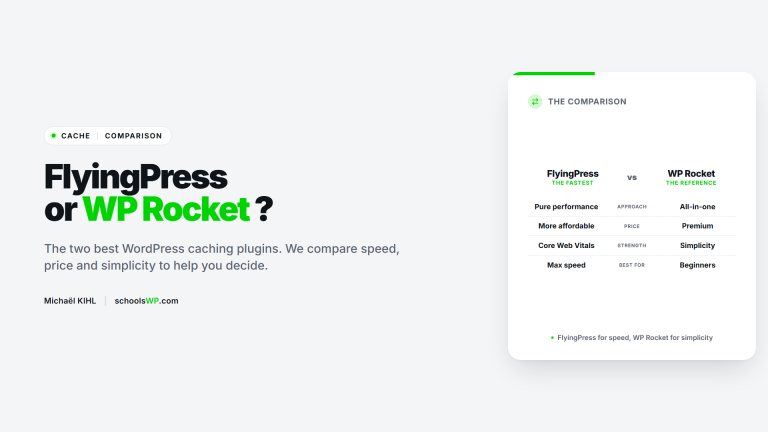
| Feature | FlyingPress | Perfmatters |
|---|---|---|
| Page Caching | ✅ Built-in | ❌ No |
| CSS/JS Minification | ✅ Full | ⚠️ Basic |
| Critical CSS Generation | ✅ Automatic | ❌ No |
| Script Manager | ⚠️ Partial | ✅ Advanced & granular |
| Image Optimization | ✅ Native (v5.3+) | ⚠️ Lazy loading only |
| Database Cleanup | ✅ Yes | ✅ Yes |
| Preloading & Prefetching | ✅ Yes | ✅ Yes |
| Local Google Analytics & Fonts | ✅ Yes | ✅ Yes |
| Starting Price | $59 / year (1 site) | $24.95 / year (1 site) |
| Best Use Case | All-in-one speed solution | Granular script control supplement |
| Courbe d’apprentissage | Moyenne | Faible à moyenne |
| Utilisation seul | ✅ Possible | ⚠️ Limité sans cache |
Contextualized recommendation: what I would do based on your profile
You’re a WordPress freelancer managing multiple client sites
My choice: FlyingPress.
FlyingPress multisite licenses ($150 for 5 sites) quickly pay for themselves once you manage more than 2 live sites. It covers the most common needs without requiring you to stack multiple plugins. On schoolsWP, it’s the default recommendation for standard setups with Elementor, Kadence, or Gutenberg.
On a Kadence site with a lightweight WooCommerce setup, I regularly go from a 52 to a 92 on mobile in PageSpeed Insights using FlyingPress alone, configured in 10 minutes.
You’re a solopreneur with a single site, hosted on Kinsta, WP Engine, Rocket.net, or a LiteSpeed server
My choice: Perfmatters + server-side caching.
Your host likely already handles caching effectively. What you need is to clean up the code that WordPress loads unnecessarily. Perfmatters does this better than any all-in-one plugin, and its entry-level price is very affordable.
You want to go the extra mile on Core Web Vitals for a strategic site
My choice: FlyingPress + Perfmatters.
If you’re working on an e-commerce site or a site with high SEO stakes, combining the two gives you serious coverage. FlyingPress for caching and resource optimization, Perfmatters for fine-tuning scripts. It requires more upfront configuration, but the results are measurable in PageSpeed Insights and on actual Core Web Vitals (CrUX).
You’re new to WordPress and want a plugin that’s easy to get started with
My pick: FlyingPress.
The interface is well-designed, the options are well-documented, and the default settings already deliver good results without any major tweaks. Perfmatters requires you to know what you’re disabling: a wrong move can break features.
FAQ: the questions people actually ask
Get answers to a list of the most frequently asked questions.
Decision Summary
FlyingPress is the right choice if you want a comprehensive performance solution, especially for managing multiple WordPress sites with a single multisite license. Perfmatters is the tool for you when you want to surgically clean up your WordPress code and precisely control every loaded script, ideally as a complement to an existing cache. For most freelancers and solopreneurs, start with FlyingPress alone: configure it correctly, measure the results in PageSpeed Insights, then decide if Perfmatters’ precision is necessary to take things further.
→ Get started with FlyingPress (official schoolsWP stack) → Add Perfmatters (as a supplement if needed)
Transparency: The links to FlyingPress and Perfmatters in this article are affiliate links. This doesn’t change the price for you, but it supports the editorial work of schoolsWP. The recommendations are based on real-world testing.