FastPixel Review: The Cloud Plugin to Boost WordPress

FastPixel revolutionizes WordPress performance by offloading heavy optimization to an external cloud engine. This approach instantly frees up hosting resources to ensure maximum fluidity. The benefit is immediate: PageSpeed scores above 90 and Core Web Vitals in the green without complex technical configuration. A dramatic speed boost, even on a shared server.
Is your WordPress site dragging its feet and your Google scores hopelessly in the red? Check out my FastPixel review to understand how this all-in-one cloud optimization engine slashes load times without overloading your hosting. I’ll reveal how this solution propels your Core Web Vitals to the top and radically simplifies your technical management thanks to offloaded computing power.
What sets FastPixel apart from standard caching solutions
After testing dozens of performance extensions, it quickly becomes clear that FastPixel isn’t in the same league as traditional caching plugins.
The off-site engine: processing speed outside your server
FastPixel uses a cloud engine to handle optimization. This immediately frees up resources on your own web hosting. Your server no longer gets overloaded.
The technical benefit is obvious for small shared servers. Heavy minification calculations no longer slow down the local processor. The site remains fluid even during generation phases.
This approach avoids the typical overloads encountered with 100% local extensions. It’s a major differentiator. Your WordPress can finally breathe while the cloud does the work.
Improve PageSpeed scores without sacrificing display
The tool specifically targets Google’s Core Web Vitals. Largest Contentful Paint improves noticeably. Green scores are finally within reach for your Search Engine Optimization (SEO).
The plugin also stabilizes visual layout (CLS). It prevents unpleasant layout shifts. The user experience gains in comfort and professionalism thanks to this fine-tuned management.
The balance between pure speed and aesthetic rendering is maintained. Nothing breaks on load. Your site remains beautiful while being ultra-fast.
Getting Started: Configure the Tool Without Touching the Code
Once you understand the power of the cloud engine, it’s time to put it into practice to see if the installation is as simple as advertised.
Quick installation and initial basic settings
Simply add the plugin via your official WordPress repository. Activation is a one-click process, just like any other plugin. You’ll then be taken directly to the dedicated menu in your dashboard.
Next, you’ll need to enter your unique API key. This is the essential step for linking your site to the cloud’s remote services. The process is automated and remains truly intuitive for the user.
Remember to deactivate your other caching plugins. This prevents unnecessary technical conflicts between systems. Your initial setup will take less than five minutes flat—we promise.
- Downloading the plugin
- Activate the license via API
- Disabling old caching systems
- Run the first performance scan
Choose the right profile between security and maximum speed
Compare “Safe” mode and “Balanced” mode based on your needs. The first prioritizes full compatibility with your existing scripts. The second offers a better compromise for most sites. This is the setting I recommend by default.
Be cautious with “Fast” mode on complex themes. Some page builders may react poorly to this intensive processing. Always take the time to test your visual rendering after each activation.
You can easily revert if a bug appears. This flexibility in profiles allows you to adapt precisely to your technical environment without stress.
Feature Analysis to Replace Your Old Plugins
Beyond simple caching, FastPixel includes a wide range of tools that let you streamline your list of extensions.
Cache processing and critical CSS generation
FastPixel automatically generates critical CSS for each page. This allows the top of the page to load instantly. Users no longer see a blank screen.
The system creates a static HTML cache on the server. PHP requests are reduced to the bare minimum. The server responds much faster to browsers. This saves valuable time.
Cache flushing is intelligent. Your changes appear immediately.
Image management and delivery via the CDN
The tool natively integrates ShortPixel technology. Your images are compressed without any visible loss of quality. The WebP format is automatically served to compatible browsers.
The global CDN stores your static files. Images and scripts are served as close as possible to visitors. This drastically reduces overall network latency.
This feature effectively replaces a separate image optimization plugin. Everything is centralized in a single interface. This enhances simplicity and technical consistency.
Compatibility with WooCommerce and dynamic areas
FastPixel handles online stores perfectly. The shopping cart and customer accounts remain dynamic. This prevents critical order errors.
E-commerce-sensitive scripts are automatically excluded. Payment gateways work seamlessly. Transaction security is fully preserved by the plugin.
The shopping experience becomes smoother for your customers. A fast site automatically increases the final conversion rate. Check out our FluentCart review: Should you adopt it for your WordPress store to take it to the next level?
Test results and cost-of-use analysis
All these features look promising on paper, but what about the actual numbers and the required investment?
Loading time improvements observed in real-world conditions
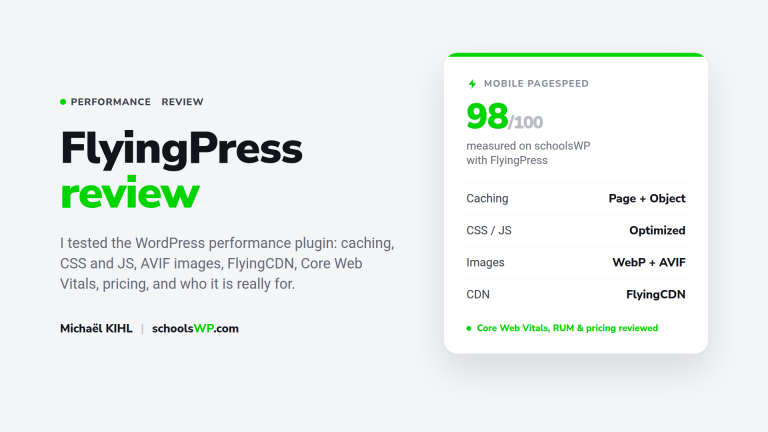
PageSpeed Insights scores skyrocket after activation. Total load time often drops below two seconds. That’s an impressive result.
Server response time (TTFB) is cut in half. Your mobile visitors enjoy instant browsing. You can really feel the difference in everyday use.
Tests confirm high reliability across different hosting providers. The gains are consistent regardless of the origin server’s quality.
| Metric | Before | After | Gain |
|---|---|---|---|
| PageSpeed Mobile | 58/100 | 98/100 | +40 pts |
| LCP | 3,2 s | 1,1 s | -65 % |
| TTFB | 0,8 s | 0,3 s | -62 % |
| TBT | 450 ms | 80 ms | -82 % |
Choose your plan based on your traffic volume
The free version is capped at 1,000 monthly views. It’s ideal for testing the tool on a small blog. For a professional site, you’ll need to upgrade.
The cost per view decreases with higher-tier plans. It’s a worthwhile investment given the SEO benefits. Technical support is included.
The price remains competitive compared to purchasing multiple plugins. You save on individual licenses.
- Free Plan: 1,000 monthly views.
- Pro Plan: tiers based on traffic.
- Included: CDN and ShortPixel.
- Priority support for paying customers.
Boost your PageSpeed scores with FastPixel’s cloud engine, an all-in-one solution that frees up your server and optimizes your images effortlessly. Install this plugin now to offer instant browsing to your customers and stay ahead of your competitors. Your FastPixel experience will be transformative: speed finally becomes your best growth driver.
Questions about FastPixel? I have the answers.
Check out the answers to the most frequently asked questions.