How to Boost Your Sales with WP Social Ninja and FluentCart

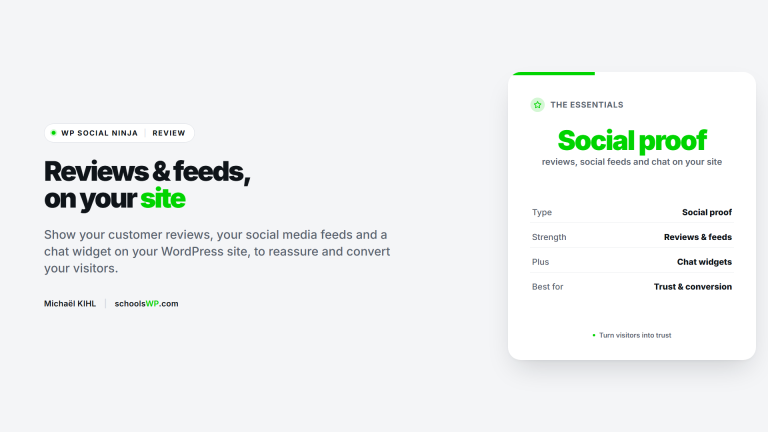
WP Social Ninja’s native integration with FluentCart transforms your store into a social proof hub without a single line of code. By centralizing the collection and moderation of reviews, you boost your conversion rates and SEO. The “Modern” slide-out mode even lets customers view testimonials without leaving the product page.
Did you know that displaying customer reviews on your product pages can radically transform your store’s conversion rate without changing your catalog?
However, manually syncing each review with your products quickly becomes an insurmountable technical task. This guide explains how to use WP Social Ninja FluentCart to automate the collection and display of your reviews to build buyer trust. Let’s break down the steps to set up this centralized hub without touching a single line of code.
Technical Integration Between WP Social Ninja and FluentCart
Since version 4.2.0, the WP Social Ninja FluentCart integration lets you automatically sync product reviews without any code. FluentCart is a native WordPress cart (not a WooCommerce add-on), and WP Social Ninja plugs straight into it. Activating the Pro license unlocks the side display panel and direct review collection via secured forms – a setup that begins with installing the plugin.
To put theory into practice, here’s how to set up your technical environment.
Steps to install and activate the plugin
Download the extension from the official WordPress repository. Install the file and then activate it. The Ninja tab will appear immediately.
Enter your license key to unlock the advanced options. This step is essential for linking with FluentCart. Verify that the license status is active.
Use this tool to manage your WordPress sites effectively. Read our full review here.
Procedure for connecting to store products
Go to the Platforms section of the plugin. Select FluentCart from the available business sources. The system will automatically detect your store. You can then begin syncing data.
Use the search bar to find specific products. Check the items for which you want to display reviews. Confirm your selection to import existing reviews.
This direct connection ensures real-time updates for your FluentCart product reviews. Enable the Make WP Social Ninja your main review hub setting so it becomes the primary source for collecting and displaying them. Your product listings remain synchronized.
3 settings to customize how your reviews are displayed
Once the connection is established, the focus shifts to the visual aspect to ensure seamless integration with your theme.
Template selection and design customization
Choose a predefined template from the Ninja library. Customize the star colors to match your brand guidelines. Adjust the typography so that the testimonial blocks look native.
| Display style | Key benefit | Recommended use |
|---|---|---|
| Classic grid | Structured layout | Standard product pages |
| Streamlined list | Smooth vertical scrolling | Minimalist designs |
| Masonry | Dynamic visual density | Reviews of varying lengths |
To fine-tune every detail without coding, you can use the visual CSS editor via Microthemer to adjust the appearance of your widgets.
Benefits of the review drawer for the mobile experience
Enable drawer mode for an elegant side-by-side display. This sliding panel frees up space on small screens. It offers smooth navigation without leaving the current product page.
Compare the modern style with the default panel. Adjust the behavior when clicking on the stars. Test the rendering on a smartphone to validate the usability of this review drawer.
The review drawer transforms mobile navigation into an interactive experience, increasing the time spent on the product page.
Visibility settings for the total number of reviews
Manage the display of the total count on your product pages. You can hide the total number if you’re just starting out. Display average ratings at the top of the page to build trust. Also set the number of reviews visible before the load button.
This flexibility allows you to control social proof. A clean display often boosts conversion. Adjust these settings based on the volume of customer feedback received.
How can you simplify the process of collecting customer testimonials?
Displaying reviews is one thing, but generating a steady stream of new feedback requires an active strategy.
Setting up forms and anti-spam protection
Add the native collection form and its "Write a Review" button directly below your review widget. Customize required fields such as name or rating. Make it easy for your loyal customers to submit feedback.
Be sure to enable CAPTCHA protection (Cloudflare Turnstile). This blocks automated submissions and fake messages, helping you maintain the quality of your database.
Since WP Social Ninja 4.2.0, you build and manage review forms with the native form builder, with no extra plugin required. For more advanced form logic you can still pair it with Fluent Forms, but it is now optional. Always check the configuration before publishing.
Centralized moderation from the dashboard
The dashboard centralizes all incoming messages. Approve or reject reviews with a single click. Use filters to sort feedback by rating. Respond directly to comments to demonstrate your responsiveness and professionalism.
Rigorous moderation builds buyer trust. Handle negative reviews with courtesy. Highlight positive feedback to encourage other customers to share their thoughts publicly.
Centralized management saves valuable time. Your store remains clean and credible.

Techniques to encourage buyers to leave reviews
Automate the sending of emails after each confirmed order. Offer a small incentive, such as a promo code. Highlight reviews with photos to boost credibility. This visual evidence is extremely powerful in convincing undecided future buyers.
Here are some effective strategies for your store:
- Automatic email reminders
- Reward with a discount coupon
- Highlighting reviews with real photos
Advanced settings to improve your SEO visibility
Beyond conversion, these reviews are a goldmine for your organic search engine rankings.
Granular management by product and variation
Assign specific review templates based on your categories. Link reviews to specific variations of a product. This precision helps buyers find the exact information they’re looking for.
Enable direct integration via the FluentCart Pro tab. This provides full control over each product listing. You can isolate feedback on a specific color or size. This is a major advantage for complex stores.
Optimize your e-commerce sales funnels. Check your product settings.
Leveraging Structured Data for Google
Verify that Schema markup is enabled in the settings. This markup allows stars to be displayed in Google search results. This significantly increases your click-through rate in searches.
Regularly monitor the display of your rich snippets. Analyze the impact on traffic to your product pages. Clearly visible star ratings naturally catch the eye of qualified visitors.
Mastering WP Social Ninja FluentCart automates the synchronization of your reviews and optimizes your SEO through Schema markup. Activate the interactive drawer now to streamline the mobile experience and secure your forms with a CAPTCHA. Boost your conversions long-term with flawless social proof.
Questions about WP Social and FluentCart? I have the answers.
Get answers to a list of frequently asked questions.