Booknetic Review 2026: The WordPress Booking Plugin


Affiliate disclosure: this article contains affiliate links. I only recommend tools I actually use, and buying through them supports schoolsWP at no extra cost to you.
Booknetic transforms your WordPress site into a fully self-managed booking center with annual plans from $45 and lifetime licenses from $89 on the official Booknetic site. You can centralize your Stripe payments and team management without costly monthly subscriptions. With a rating of 4.90/5, it’s the ideal tool for automating your reminders and eliminating time-consuming administrative tasks.
How I tested Booknetic
This review is based on hands-on use. I installed Booknetic on a WordPress site and ran the full booking flow from end to end: the front-end booking funnel, staff and location management, deposits and online payments, the SMS, WhatsApp and Telegram reminders, the mobile app, and the WooCommerce integration.
I then cross-checked my own experience against public feedback (Capterra, Trustpilot and the CodeCanyon listing) and Booknetic’s official documentation. Prices were verified in June 2026. The score reflects how the plugin fits schoolsWP’s needs, not a universal ranking.
Did you know that Booknetic has a 4.90/5 rating on CodeCanyon, establishing itself as the go-to solution for turning WordPress into a fully-fledged booking center?
However, the proliferation of paid plugins can quickly turn your initial investment into a budget headache. In this Booknetic review, I break down the features and actual costs for you to see whether this tool fits how you want to grow.
Summary of my Booknetic review (⭐4.90/5)
Booknetic stands out with its one-time lifetime licenses (from $89 on the official site), centralizing appointments, Stripe payments, and Google Calendar synchronization without a recurring subscription. Its flexibility suits multi-service businesses managing complex workflows, particularly thanks to its intuitive interface and automated workflow module.
You’ll quickly realize that Booknetic offers strong value for money. It’s a smart investment for anyone looking to break free from the hefty commissions imposed by third-party booking platforms.
On the technical side, stability is a given. During my tests, the system handled simultaneous bookings without a hitch, demonstrating reassuring robustness for your day-to-day operations.
But be careful. Don’t rush in headfirst. The attractive initial cost hides a modular pricing structure that you absolutely must understand before pulling out your credit card.
Booknetic Pricing
Now that we’ve covered the basics, let’s break down the numbers to see if your budget can handle it.
Choose the plan that fits your growth
On the official Booknetic site, the Basic plan is enough for freelancers with a single site ($45/year, or $89 for a lifetime license). To create a multi-service platform, choose Booknetic SaaS. It’s a solid foundation to get started without excessive costs.
Be careful with paid add-ons. Some advanced options require an additional budget depending on your actual needs. Stay vigilant on this point to keep your final investment under control during setup.
The business model is a real asset. Unlike monthly subscriptions, the one-time purchase option ensures the long-term viability of your WordPress business. It’s a strategic choice for your finances.
| Plan | Annual price | Lifetime | Add-ons | Best for |
|---|---|---|---|---|
| Basic | $45/year | $89 | 0 | Test the tool, 1 service |
| Standard | $99/year | $199 | 8 | Freelancers, small business |
| Premium | $199/year | $399 | 19 | Multi-service |
| Elite | $299/year | $599 | 50+ | Agencies, multi-site |
Booknetic plugin plans on the official site (yearly and one-time lifetime). Prices checked in June 2026. Always confirm the current rates on the official Booknetic pricing page before buying.
Analyze the return on your investment
Calculate the administrative time saved each week. No more endless email exchanges to schedule an appointment. Booknetic turns that wasted time into money you can use right away.
Automatic reminders drastically reduce no-shows. The tool pays for itself from the very first appointment saved from being forgotten. This simple calculation justifies your purchase as soon as your site launches.
Connect the plugin to your favorite tools to boost productivity. Use third-party solutions to efficiently automate your WordPress processes. Managing your customer data finally becomes seamless.
The included technical support covers your entire initial setup. After that, the internal documentation takes over to answer your questions. You benefit from a stable and well-documented tool.
Booknetic: Who is it for?
But beyond the price, does this tool truly fit your daily professional routine?
This plugin is primarily aimed at independent professionals and dynamic training centers. Detailed employee management becomes a major asset for medical practices or spas. You’re not just managing a simple calendar, but a complete system.
Freelancers offering consulting services will also find it useful. Your brand image gains credibility thanks to a professional booking funnel. It immediately conveys professionalism to your clients.
However, the tool may prove too complex for certain needs. If you manage a single basic service, a lighter solution will suffice. Let’s be honest about the real usefulness of such features.
List of Features
Now let’s dive into the engine of the beast to see what it has under the hood.
Simplify the management of your team and your locations
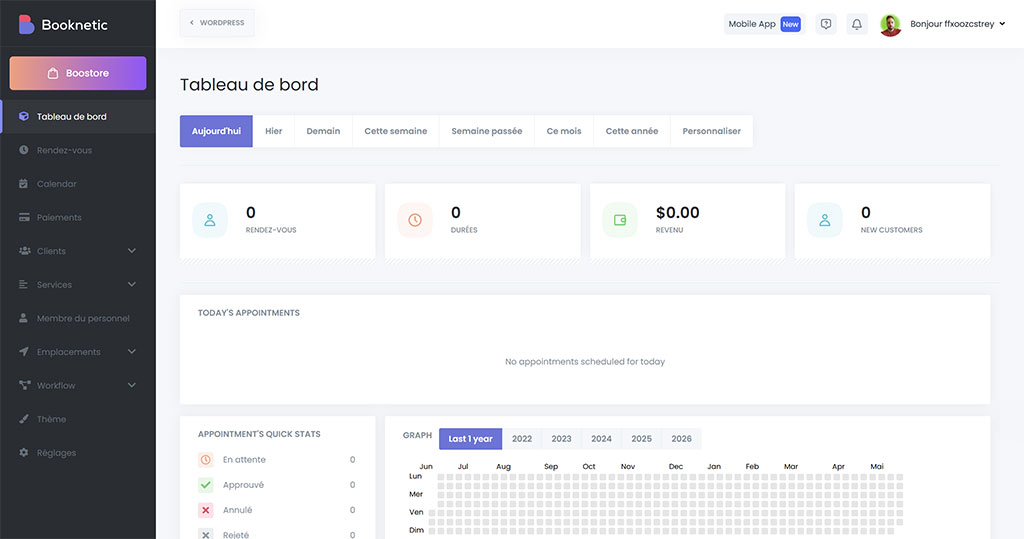
You can add your team members in just a few clicks. Each member of your team manages their own calendar and work schedule. This granular approach offers total flexibility on a daily basis.
The plugin also manages your various locations with ease. If you have multiple locations, the system automatically directs your customers to the right one. This streamlines the customer journey and eliminates location errors.
- Individual calendar synchronization
- Vacation and break management
- Automatic shift assignment
- Dashboards by employee
Automate your reminders to reduce absences
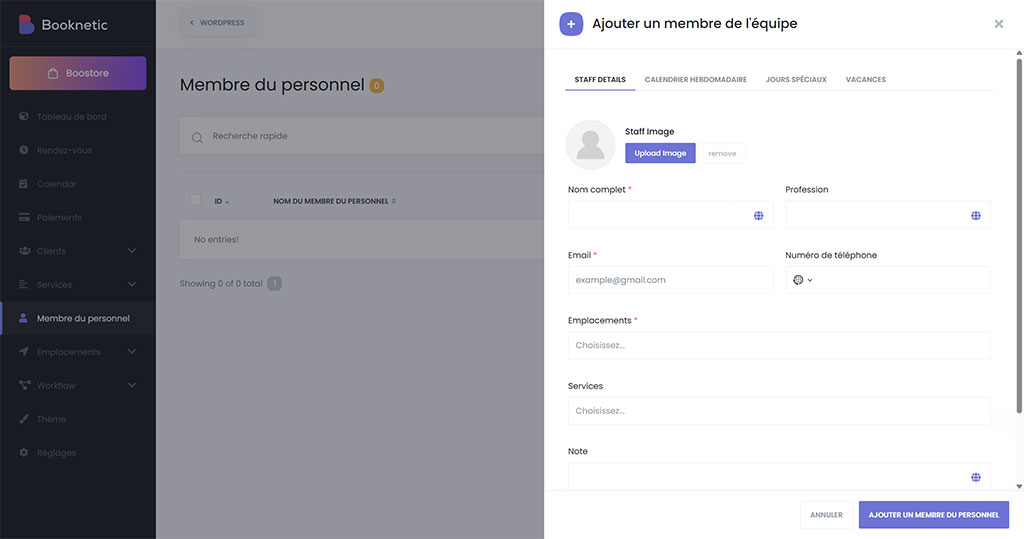
Set up your notification module to send automatic alerts. You can choose between email, SMS via Twilio, or even WhatsApp. Messages are fully customizable to match your brand.
Reminders sent one day in advance are your best defense against absenteeism. They drastically reduce customer forgetfulness, and the system works in the background while you focus on your business.
Your messages strictly comply with current GDPR regulations. This is essential security to protect your customers’ personal data.
Connect your favorite tools and collect payments
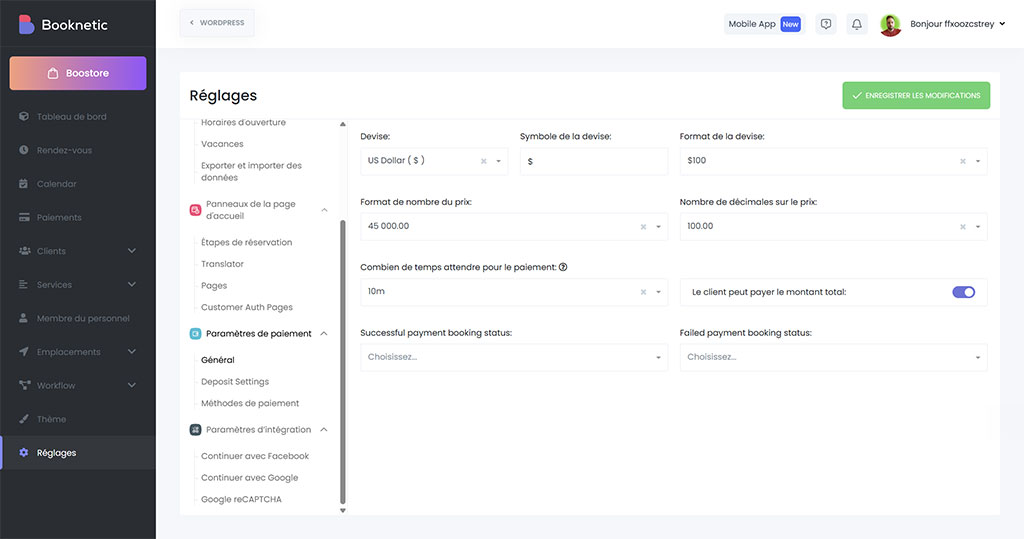
Stripe and PayPal gateways are natively integrated to secure your revenue. You decide whether to collect a deposit or the full amount at the time of booking. It’s simple, reliable, and reassuring for everyone.
Google Calendar synchronization sends your appointments directly to your smartphone. You stay informed about every new booking. You’ll never miss an important update to your schedule again.
If you’re looking for a lightweight e-commerce solution to compare payment methods, keep an eye out for solid alternatives.
Zoom integration automatically generates your video conference links for your consultations. The client receives their access without any manual steps. You save valuable time on every online session.
Customer Reviews
Let’s see if users share my enthusiasm or if they’ve encountered any hurdles.
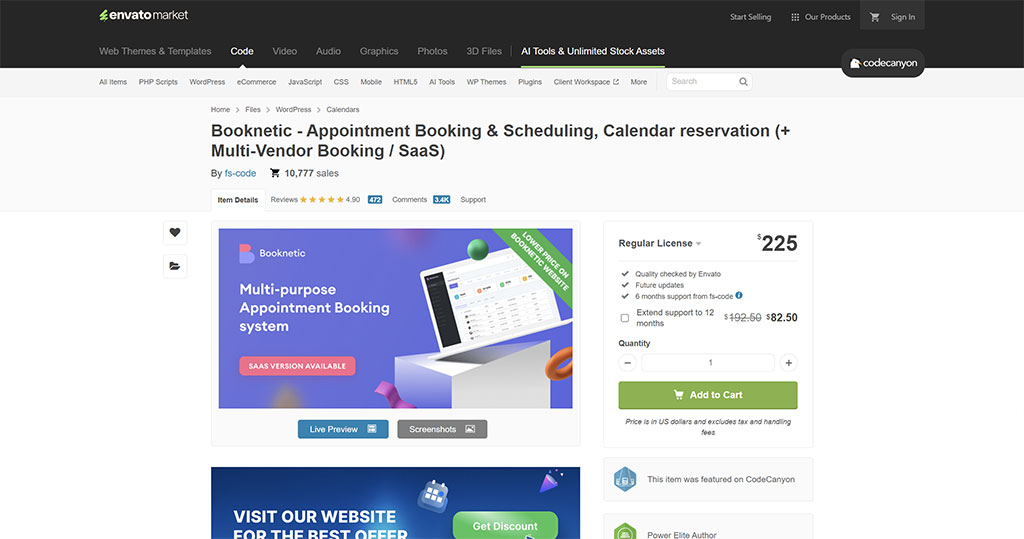
Feedback on CodeCanyon is generally excellent. The 4.90/5 rating based on 472 reviews highlights genuine satisfaction. You’ll especially appreciate the user interface, which the majority finds crystal clear.
However, a few criticisms have emerged. Some advanced settings require real patience. You’ll sometimes have to dig deep to configure the most complex options.
Technical support remains a strong point here. The teams often respond within 24 hours. It’s a reassuring safety net for your business.
As with any reputable plugin, reliability remains the number one selling point for satisfied users.
Booknetic vs. Amelia, Bookly, and BookingPress
Booknetic isn’t alone in this niche. Here’s how it stacks up against the three most-cited WordPress alternatives, to help you choose based on your actual needs.
| Plugin | Pricing model | Lifetime license | SaaS mode | Best for |
|---|---|---|---|---|
| Booknetic | $45 to $299/year (lifetime $89 to $599); also on CodeCanyon ~$225 one-time | Yes (from $89) | Yes (white-label resale) | Multi-service businesses and agencies wanting an all-in-one |
| Amelia | Free Lite + paid plans (to check on official website) | Yes (to check) | No | Appointments AND events |
| Bookly | Free Lite + Pro one-time on CodeCanyon + paid add-ons (to check on official website) | Partial (via add-ons) | No | Modular setup, but the bill adds up |
| BookingPress | Freemium + yearly $79 to $229 (lifetime $229 to $599) | Yes | Limited | Small budget, quick start |
Comparison of the main WordPress booking plugins (prices are approximate; check each official website for details).
In short: Bookly tempts you with a low entry price, but its individual add-ons quickly drive up the cost. Amelia is the best choice if you also manage events. BookingPress remains the budget-friendly option to get started. Booknetic stands out in two rare areas: its native SaaS mode (you can resell the booking as a white-label solution) and its all-inclusive bundle, without the need to hunt for paid modules.
Final Verdict
So, should you go for Booknetic or look elsewhere?
The lifetime license and rich feature set make this plugin a strong option. It’s a solid choice if you manage recurring appointments. Its comprehensive automation and modern interface ensure smoother management of your business.
Take the time to thoroughly test each workflow before the official launch. Initial setup is the key to success. Check your notifications and payment gateways to deliver a flawless customer experience from the start.
If you’re looking for an alternative for your online courses, check out Masteriyo LMS for a different approach. This choice will really depend on the specific structure of your courses.
Booknetic puts you back in control of your schedule without relying on an expensive subscription. You gain autonomy and profitability immediately.
With its lifetime license and powerful automations, this tool turns your appointment management into a profitable asset. Adopt this solution to centralize your bookings and eliminate your monthly fees today. My take on Booknetic is clear: it’s a solid way to regain control of your schedule.
Questions about Booknetic? Here are the answers.
Answers to the most frequently asked questions about Booknetic.
Sources & resources
- Booknetic Reviews 2026 – Capterra – 2026
- Booknetic Customer Reviews – Trustpilot – 2026
- Booknetic – official website – 2026