Amelia WP Review 2026: The Best WordPress Booking Plugin?

Booking a table at your favorite restaurant, making a dentist appointment, or organizing an event has never been easier. In the past, you had to call, wait for a response, and set a time. Today, online booking systems simplify everything, offering businesses and customers a smooth and optimized experience.

If you run a business that requires appointments, you need a reliable, automated solution. With WordPress, it’s easy to integrate a powerful booking plugin. But how do you choose the best one?
That’s where Amelia WP comes in, a powerful WordPress plugin that transforms your website into an efficient booking management system. With its many features, such as synchronization with Google Calendar, automated reminders and notifications, employee management, time slot management, and payment management, Amelia WP offers an intuitive and fully customizable interface.
Discover why Amelia WP is considered one of the best booking plugins and how it can simplify, automate, and optimize your time management and customer relations.
What is Amelia WP?
Amelia is a comprehensive booking and appointment scheduling system. With this booking plugin, you can turn any WordPress website into a fully functional appointment management system. Instead of hiring staff, you can use the Amelia booking plugin to automate the booking process, which actually reduces your overall costs and eliminates human error.


Amelia is a handy tool for small businesses and individuals who depend on regular appointment scheduling processes. Not only does it have one of the best interfaces on both the backend and frontend, but it also has a responsive design that looks great on smartphones, tablets, and desktops.
Installation and activation
- You can download the zip file at any time from the TMS Store. After purchasing the plugin, your login details will be sent to you in an email.
- Now go to your WordPress admin dashboard > Plugins > Add New > Upload
- Upload the zip file and click Activate.
- Your purchase code, which is required for automatic updates and to contact support, can also be found in the TMS Store.

What are the features of Amelia WP?
Amelia WP is a comprehensive booking plugin designed to facilitate booking management and optimize business organization. It automates bookings, synchronizes schedules, and sends personalized notifications to customers and employees.
Here are the main features that make Amelia WP an excellent booking system:
- Simplified appointment management: customers can book in just a few clicks via an intuitive interface.
- Automated booking process: no need to manually manage availability, everything is synchronized in real time.
- Two-way synchronization with Google Calendar and Outlook: employees can easily track their schedules without the risk of double bookings.
- Customized notifications: automatic reminders sent by email or SMS to reduce no-shows and improve customer satisfaction.
- Integration with third-party tools: connect Amelia to WooCommerce, Zoom, Zapier, and many other services for smoother management.

Thanks to these advanced features, Amelia WP is one of the best booking plugins for WordPress, offering a turnkey service for businesses looking to optimize their appointment management.
Recurring appointments in the Amelia WP WordPress booking plugin
With this feature, customers will be able to repeat their appointments by choosing the date and time of the first appointment and setting the number of repetitions. You can enable recurring appointments by following these steps:
- Click on «Add a service» in the services tab
- Under Service Details, you will see the « set up a recurring appointment »
- By default, it is set as « disabled »
One of the best things about this booking plugin is that it offers a lot of flexibility when it comes to adjusting settings and adding custom fields.
- «All» —This will give the customer daily, weekly, and monthly options.
- «Daily» – With this option, a customer can schedule a daily recurrence of appointments. They can choose whether the appointment repeats every day, every 2 days, every 3 days, etc.
- «Weekly» – Customers can set up a weekly recurrence using this option. They can choose whether an appointment repeats every week, every 2 weeks, every 3 weeks, etc.
- «Monthly» —Customers can set up a monthly recurrence using this option by choosing whether the appointment will repeat every month, every 2 months, every 3 weeks, etc.
Events in the Amelia WordPress plugin
With Amelia, you can set up events, as well as recurring events for your business. It can be used for various occasions such as open houses or classes that repeat over a period of time, conferences, or any business meeting. This event booking plugin is very versatile.


For example, if you organize an online yoga class that takes place on a weekly basis, you don’t have to go through the tedious task of scheduling it each time. With this feature, you can simply check the box labeled “Recurring event” and fill in the details.
Customer panel in the Amelia WordPress booking plugin
With this feature, the customer can make changes to their appointments or events. This allows the customer to track, reschedule, or cancel their bookings on the front end of your website.

One of the advantages of using this plugin is that it includes options to help you meet GDPR requirements. Amelia stores customer and booking data in your WordPress database. You can enable customer self-deletion and process data export/deletion requests from the admin to comply with data privacy rules.
On the other hand, if you do not want to allow your customers to delete their profile data, you can simply disable this option.
View of the event list and booking calendar with Amelia WP
Amelia WP doesn’t just manage appointments, it’s also perfect for organizing events. With the event list view, you can easily list multiple events and add images, descriptions, and tags for each event. In addition, you can integrate an event booking calendar directly into your site, allowing your users to book events in just a few clicks. This feature makes event management more intuitive and accessible thanks to the integration of the Amelia booking plugin.

Payment cards via WooCommerce and Amelia WP
Another key feature of Amelia WP is its integration with WooCommerce for payments. Amelia also supports native payment providers such as Stripe, PayPal, and Mollie. Through WooCommerce, you can use additional gateways like Razorpay and other region-specific options. This flexibility allows you to easily manage online payments, send invoices, and include taxes for your services.
Real-time notifications with Amelia WP
Amelia WP ensures that neither your employees nor your customers miss an appointment thanks to real-time notifications. You can send reminders via email and SMS (using Twilio) for booked, canceled, or rescheduled appointments. WhatsApp reminders are possible via third-party services or custom webhook integrations if you choose to implement them. By automating these notifications, you reduce no-shows and ensure better communication with your customers. Amelia WP also allows you to customize these notifications according to your specific needs, thereby increasing customer engagement. This feature is essential in an effective online booking system.
Employee panel management in the Amelia WordPress booking plugin
This option is specifically designed for businesses with many employees to make it easier for them to manage appointments. At least one employee must be assigned for the booking plugin to work properly. You can hide employees from the frontend or display them anywhere on the website.
Go to the Employees tab of the Amelia WordPress plugin and click on “Add an employee”. You can create employees by filling in the details mentioned in the back office tab.

Integrate Zoom into the Amelia WP booking plugin
With the year we’ve just had, many people have started offering their services online. Few WordPress booking plugins integrate with Zoom like Amelia does. With the Amelia Booking WordPress plugin, you can provide video communication for your appointments and events. Using the yoga class example again, if you want to teach an online yoga class, all you need to do is configure the Zoom app with this plugin.
How to integrate Amelia with other services and automate your workflows?
To connect Amelia WP to other tools and automate your processes, you can use several integration solutions. Thanks to webhooks, the plugin allows you to send data to different applications and improve booking management by connecting Amelia to your digital ecosystem.
1. Use webhooks for custom integration
Amelia’s webhooks allow you to automatically transmit customer and booking information to third-party services such as CRMs, marketing automation tools, or billing platforms. This helps you automate updates and avoid manual data entry.
2. Automate with Zapier and Pabbly Connect
Amelia is compatible with Zapier and Pabbly Connect, two powerful tools that connect Amelia to hundreds of other applications such as Google Sheets, Mailchimp, Slack, and Stripe. With these integrations, you can:
- Automatically send booking confirmations by email.
- Add a customer to a mailing list after a booking.
- Save reservations to a spreadsheet or CRM.
3. Connect Amelia WP to other services for a smooth workflow
Whether for payment management, notifications, or customer follow-up, Amelia’s integration with tools such as WooCommerce, Google Calendar, and Outlook allows for better synchronization and complete automation of the booking process.
By taking full advantage of webhooks and solutions such as Zapier or Pabbly Connect, you can automate your workflows, improve your productivity, and offer a smooth and professional user experience.
Notification settings in the Amelia WordPress plugin
This feature allows you to send notifications to your customers and employees. A big advantage of this feature is that you can choose between different notifications. Email templates are readily available, and all you have to do is insert the variables. This flexibility makes the Amelia WordPress plugin a complete solution for managing communication.
Amelia pricing and options: what is the best deal?
If you are looking for a high-performance WordPress booking plugin, Amelia WP offers several packages tailored to the needs of businesses. Whether you are a small business or a large organization, there is an offer that suits you.
Is there a free version of Amelia WP?
Yes, Amelia Lite Booking is the free version of the plugin. It allows you to manage simple bookings, but with limited features. If you need advanced options such as online payments, automatic reminders, or employee management, you will need to opt for a paid version.
Amelia WP pricing and subscriptions
Amelia offers two types of licenses: an annual subscription and a lifetime purchase.
Annual subscription rates
- Starter (1 domain)
- Standard (3 domains)
- Pro (unlimited domains)

Lifetime license pricing
- Standard (1 domain)
- Pro (3 domains)
- Elite (unlimited domains)

Discounts and coupons for Amelia WP
If you want to get the best price, it is advisable to keep an eye out for promotions and special offers. Amelia regularly offers discounts during events such as Black Friday or Cyber Monday. You can also check if discount coupons are available directly on the plugin’s official website.
💡 Tip: Purchasing a lifetime license can be a good option to avoid recurring costs and benefit from a booking solution without a subscription.
With these different options, Amelia WP offers a flexible and scalable solution for managing your bookings. Whether you opt for Amelia Lite Booking or a premium version, this plugin will allow you to automate your appointment scheduling while optimizing your organization.
How can you improve the booking experience on your website?
To offer a smooth and enjoyable booking experience, it is essential to optimize each step of the process. A good booking system must be intuitive, fast, and efficient to ensure ease of use for your customers.
1. Simplify the booking process
A user journey that is too long or complicated can discourage customers. With Amelia WP, each booking is made in just a few clicks thanks to an intuitive user interface. The ergonomics are designed to minimize the time spent on booking while maximizing conversion.
2. Automate reminders and notifications
An effective booking system should include automatic reminders to avoid cancellations and forgotten appointments. Amelia WP allows you to automate reminders by email or SMS, reducing no-shows and improving appointment management.
3. Optimize integration with professional tools
To facilitate organization, Amelia WP integrates with Google Calendar and Outlook, allowing real-time synchronization of appointments. This allows businesses to have a constantly updated schedule and avoid double bookings.
4. Improve customer satisfaction with a seamless experience
A simplified and well-structured booking process directly contributes to improving customer satisfaction. With its advanced features and responsive design, Amelia WP guarantees a seamless booking experience, whether on mobile, tablet, or computer.
By choosing a high-performance plugin like Amelia WP, you can optimize your booking system while offering your customers fast, efficient, and frictionless service.
Is Amelia the best booking plugin in 2026?
If you are looking for the best booking plugin for WordPress, Amelia WP is one of the most comprehensive and intuitive solutions on the market. Its smooth interface, advanced features, and excellent price/feature ratio make it a popular choice for many businesses.
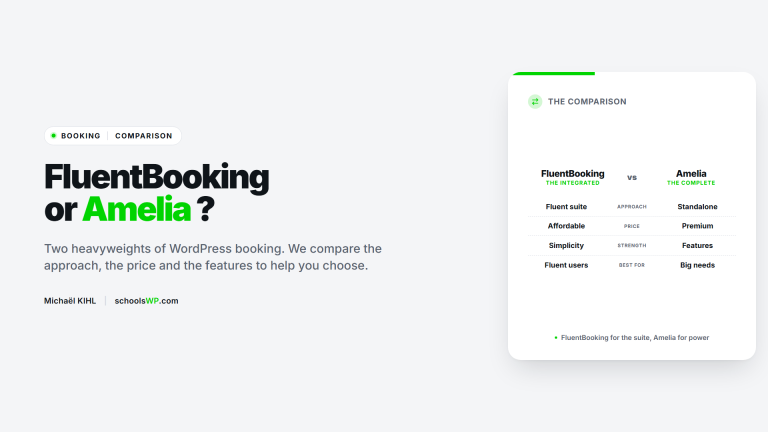
Amelia WP vs. other booking plugins: what is it really worth?
Compared to other WordPress booking plugins, Amelia stands out for:
- Automated appointment management, with reminders and notifications to avoid no-shows.
- Seamless integration with Google Calendar and Outlook, ideal for synchronizing schedules.
- A modern and intuitive interface, accessible to beginners without technical training.
- Excellent value for money, highlighted in recent independent reviews and comparisons.
Review of Amelia WP: why choose it?
If you are exploring alternatives with a lifetime license, read this Booknetic review to compare its automation features, integrations, and pricing with Amelia.
Users particularly appreciate its user-friendliness and its ability to simplify appointment scheduling while offering advanced flexibility for businesses. Compared to other plugins such as Bookly or Simply Schedule Appointments, Amelia WP offers a comprehensive and powerful solution without requiring numerous paid add-ons.
If you are looking for a powerful, well-designed, and affordable plugin, Amelia WP is an excellent choice for managing your bookings efficiently and professionally.