Fluent Forms: The Ideal WordPress Plugin for Your Forms

Have you ever felt the frustration of navigating through complex menus just to create a simple contact form? Well, you’re not alone.
Many WordPress site builders find themselves bogged down by the complexity of the forms plugins available. But imagine an extension so intuitive that even a non-technical user can create a form in the blink of an eye. Fluent Forms is that WordPress plugin.
In this article, we’ll find out why Fluent Forms is the perfect choice for your WordPress forms needs, exploring its basic features, advanced functionality and how it can transform your forms creation experience.


Basic features of Fluent Forms
Creating a form is easy
Imagine being able to create a form in minutes, without pulling your hair out. Fluent Forms makes this possible with its intuitive interface. Unlike other plugins still too complex in 2024, Fluent Forms makes it easy for non-technical users to create forms.

For developers, advanced configuration options are at your fingertips, offering the best of both worlds. All creation is done via a dedicated tab in the dashboard.

Examples of Predefined Forms
ou may think that a simple contact form is enough. But wait until you see the predefined templates offered by Fluent Forms. Whether you need a form for a service business, a survey or even a newsletter sign-up, you’ll find a template to suit your specific needs. It’s like a buffet of options, ready to be served.

What’s more, there are ready-to-use templates for support forms, quotation requests and even bug reports, further simplifying your creation process. You can even add custom fields to meet specific requirements.

Easy-to-style customizations
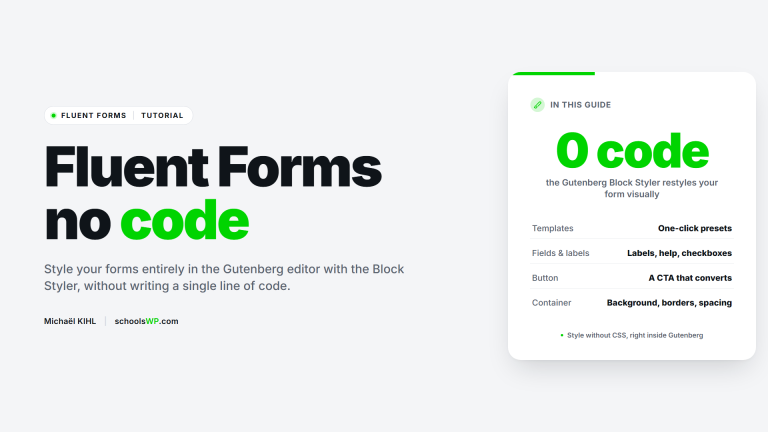
Have you ever wanted your forms to integrate seamlessly with your theme without having to write a single line of code? With Fluent Forms, it’s not only possible, it’s incredibly easy. Whether you prefer minimalist forms or want to customize each element with CSS, the styling customization options are vast and flexible.

In addition, Fluent Forms offers an advanced form stylist for adjusting colors, fonts, shadows and more, allowing you to better align with your brand identity. With the integrated shortcode, you can easily insert your forms on any page or article.
Anti-Spam Protection
Nobody likes spam. And with Fluent Forms, you can say goodbye to spam entries. With integrated captcha and advanced form validations, your user experience stays smooth and hassle-free. Fluent Forms also offers state-of-the-art anti-spam tools like reCAPTCHA, hCaptcha and honeypot, promising to keep you up to date with the latest anti-spam technologies. Settings are easily configured in the settings tab.

Visual Reports
Understanding your forms data has never been easier. Fluent Forms ‘ visual reports provide an overview of submissions over the last 30 days, with clear, informative graphics. Turn your data into actionable information with this intuitive feature.

Use pie charts, bar graphs or tabular views to easily analyze form submissions.
Fluent Forms advanced features

Mailing list integration
Imagine automating the process of adding form submissions to your mailing list or CRM tools like FluentCRM. The many integrations available with Fluent Forms make this task easy, improving your lead and contact management. You can also send this data directly to services like Zapier to further automate your workflow.

Slack integration
How about receiving form submissions directly into your Slack workspace? Whether for support requests or sales, this integration optimizes your workflow by automatically sending submissions to the channel of your choice.

Google Sheets integration
Easily manage and analyze your form data by automatically transferring it to a Google Sheets document. No need to copy and paste data manually! You can even use this feature to automatically populate more detailed reports or analyses. With this premium version, you can configure this option via theintegrations tab.

CPT (Custom Post Types) creation
Fluent Forms transforms form submissions into Custom Post Types. Whether for testimonials, product reviews, job boards or any type of user directory, this feature is incredibly useful.

Accept Payments and Subscriptions
For simple business setups, Fluent Forms offers a convenient solution for accepting payments without the need to set up a full e-commerce system like WooCommerce. Easily integrate Stripe, PayPal and more. You can also manage coupons and perform dynamic calculations for complex pricing. Payment options are available in the financial settings tab and require a premium license to access full functionality.
Other impressive features
- File and image upload: Allows users to submit files via the form.
- Multi-column layout: Facilitates the design of complex forms.
- Twilio integration (SMS): SMS sent after form submission.
- Excellent documentation: makes even complex functions easy to use.
- Fast, lightweight code: Fluent Forms is optimized for performance.
- Customize email notifications: make your notifications easier to read and manage.
- Import/Export forms: Ideal for reusing forms on multiple sites.
- Conversion rate: Quickly track conversions on your forms.
- Combined entries page: Convenient view of all form submissions.
- PDF generation: Create PDFs from form submissions.
- Electronic signature: Allows users to digitally sign their submissions.
- Drag-and-drop visual builder: choose from over 45 input fields and quickly configure your web forms without coding.
- Advanced form management: schedule forms and send messages after submission.
- Responsive and lightweight: Ensures that forms display perfectly on all screen formats.
- Payment and Donation Collection: Integration with Stripe, PayPal, and more.
- Instant Notifications: Supports email and SMS notifications.
- CRM connectivity: Integrates easily with various CRM tools.
- Inventory management: Manage inventory and product data directly from the dashboard.
- Action Hooks for Developers: Enable advanced customization.
- Integration with over 45 third-party tools: Increase the functionality of your forms with seamless integrations.
Find this article useful? Pin it on Pinterest!
And share it on other networks, thank you.

To conclude, you must use WP Fluent Forms
In short, WP Fluent Forms is without doubt the best WordPress forms plugin. Its effective anti-spam protection, numerous advanced features and ease of use make it a must-have tool for any website designer. Whether you’re a novice user or an experienced developer, Fluent Forms offers solutions to suit all your needs. Will you be able to find another plugin as complete? Not likely!
By integrating Fluent Forms, you can simplify the management of forms on your WordPress site and significantly improve the user experience. Don’t wait any longer, adopt Fluent Forms and discover how this plugin can transform your WordPress site. Click the install button and start creating outstanding forms today.