OttoKit: How to Optimize Your WordPress Automation in 2026


OttoKit transforms WordPress into a high-performance no-code automation hub thanks to its intuitive Canvas Builder. This solution processes data locally to ensure maximum fluidity without the high costs of external SaaS tools. Version 1.1.25 enhances this power with the addition of dynamic variables and internal tables for intelligent workflow management.
OttoKit automation runs inside WordPress, so your workflows execute without the recurring cost of an external SaaS. The plugin, formerly known as SureTriggers, now adds built-in forms and tables. With OttoKit automation, you keep control of your data and your workflows without ever leaving your usual dashboard.
Why choose OttoKit automation for WordPress?
Let’s look at what OttoKit automation actually changes for WordPress users, and where it stops being the right answer.
The no-code concept accessible to freelancers
This tool is specifically designed for non-developers. It lets you build complex workflows without touching any PHP code. No more risky technical tweaks for your site.
The major advantage is staying within the WordPress interface. You avoid having to juggle multiple tabs or external tools. Everything is managed directly from your usual dashboard.
You gain complete autonomy. Freelancers can finally manage their technical processes on their own.
Comparison with external SaaS solutions like Zapier
The performance gain is real. A lightweight plugin cuts down the slow API round trips an external tool needs. Your site stays responsive for your visitors.
The cost side matters too. Third-party subscriptions add up as your volume grows. OttoKit offers a more budget-friendly alternative, with a free plan to start on.
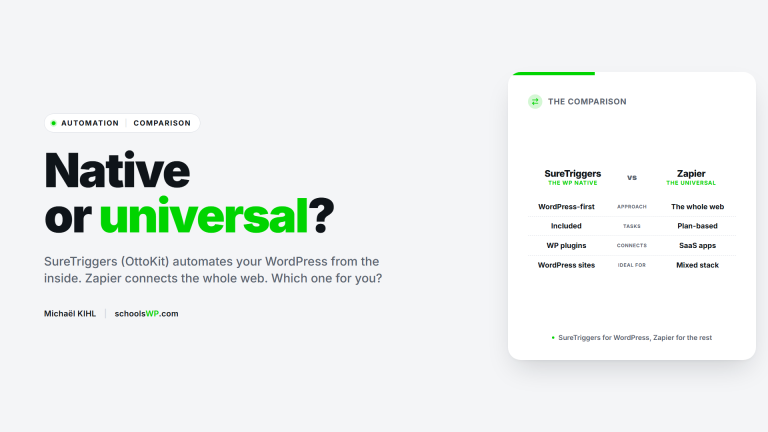
To help you decide, check out this comparison between OttoKit and Zapier. You’ll see the concrete differences in pricing.
Affiliate link. I only recommend tools I use on my own sites.
Master the Canvas Builder to create seamless workflows
Once the plugin is installed, OttoKit automation all happens in one place: the visual canvas.
Configuring triggers and initial actions
Drag-and-drop makes it easy to add triggers to your interface. This is where automation really begins. Every WordPress event becomes a potential trigger for your workflows.
There are numerous available actions. You can send an email or create a post instantly to your applications.
Each block stays readable on the canvas. You watch your workflow take shape in real time.
Using filters and conditional paths
Segmentation refines your automations. Filters allow you to sort incoming data with precision. Only conditions that are met trigger the rest of the process.
Easily manage multiple branches. A single canvas can drive several different scenarios simultaneously. That’s the power of OttoKit’s visual builder.
Using conditional paths allows you to transform a simple automation into true intelligent business logic without writing a single line of code.
Time Management and Task Scheduling
The pause feature offers great flexibility. You can wait a few hours before restarting an action. This humanizes automatic interactions with your customers.
Scheduled tasks are a major advantage. Recurring tasks are easily managed via the platform’s built-in calendar.
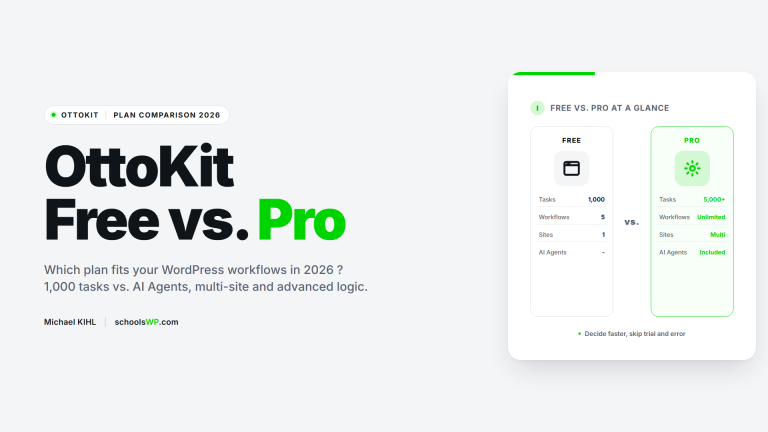
Check out this OttoKit Free vs Pro comparison to see which plan fits your volume.
3 major new features: forms, tables, and dynamic variables
Beyond simple workflows, OttoKit introduces powerful tools for managing your internal data.
Organize internal information with the new tables
OttoKit now neatly centralizes your data. You no longer need heavy database plugins to store your information. Everything is managed directly from the tool’s interface.
These tables act as a mini integrated CRM. They let you track your active members or your inventory. It’s ideal for keeping an accurate record of every action without slowing down WordPress.
- Sales tracking
- Lead management
- Product inventory
- User logs
Customize data exchanges using variables
Dynamic mapping is the key to your personalization. Variables let you pass specific information between your favorite apps. In practice, you can retrieve a customer’s name to use it automatically later.
Data from your forms integrates seamlessly everywhere. Your custom fields can thus be used in all your complex workflows.
Here’s how to feed those workflows from your WordPress forms.
Connect your favorite tools without leaving your dashboard
OttoKit’s strength also lies in its ability to let your WordPress plugins communicate with each other.
Specific automation for WooCommerce and e-commerce
Set up workflows for abandoned carts. Automatically follow up with your customers after an hour. This directly boosts your revenue.
Then sync with a CRM. Each order can update your customer profile. Everything happens in the background without errors.
| Criterion | OttoKit Free | OttoKit Pro | Verdict |
|---|---|---|---|
| Monthly tasks | Limited | 5,000 tasks | Pro for volume |
| Active workflows | Restricted | Unlimited | Pro for scale |
| AI agents | Not included | Included | Pro for intelligence |
| Conditional logic | Basic | Advanced | Pro for precision |
| Support | Standard | Priority | Pro for faster answers |
| Connected sites | Single site | Multi-site | Pro for agencies |
Synchronization with LMS and membership management platforms
Finally, automate enrollments. As soon as a payment is confirmed, the student gains access to the course. No more tedious manual intervention.
Specific events trigger the release of new lessons. Content unlocks automatically based on the student’s progress.
Also improve your booking management for your coaching sessions.
Using webhooks for third-party applications
Connecting via webhooks opens the door to the outside world. Easily integrate any non-native tool.
Sending notifications lets you receive a WhatsApp alert for every major sale. Slack becomes your real-time control center.
In short, the limits of WordPress disappear. These digital bridges ensure total flexibility.
AI agents and human oversight in OttoKit automation
Finally, let’s explore how OttoKit integrates artificial intelligence while maintaining strict human oversight.
Deploy AI agents for autonomous decision-making
Integrating AI transforms your workflows. It analyzes incoming messages to determine the next steps. It’s like adding a brain to your workflows.
AI efficiently sorts incoming requests. It can answer simple customer questions on its own. This frees up valuable time every day.
Secure critical processes with Human-in-the-Loop
Human validation secures your automations. Certain sensitive actions require a confirmation click. The automation pauses and waits for your approval. This is essential security for payments or critical shipments.
It also stops a misconfigured AI step from acting on its own. This manual checkpoint is what makes OttoKit automation safe to trust on sensitive tasks.
In short, you always have the final say. Nothing critical goes out without your approval.
Performance tracking via logs and history
The monitoring interface offers complete visibility. Every execution is recorded with precision. You know exactly what happened and when.
Errors are quickly corrected. The logs pinpoint the exact block causing the issue in your chain.
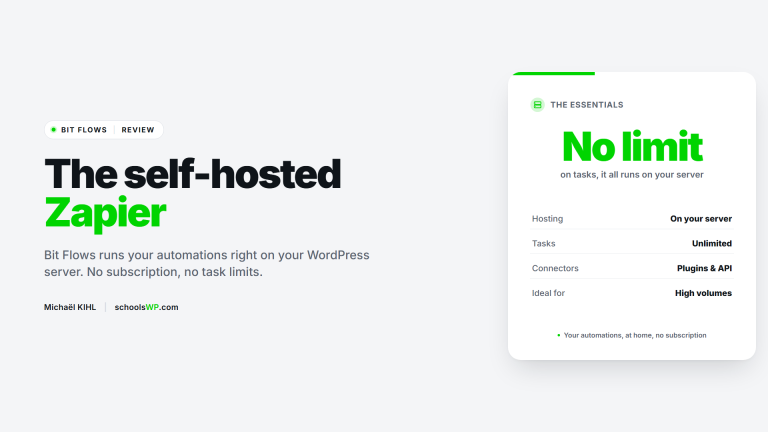
You can also check out Bit Flows for comparison. It’s an interesting alternative.
Who is OttoKit automation for?
No automation tool fits everyone. Here is where OttoKit automation earns its place, and where another tool will serve you better.
It fits you if
- Most of your business logic already lives in WordPress: WooCommerce, an LMS, a CRM or a membership plugin.
- You want to automate without writing PHP, and without adding another monthly SaaS bill.
- You run several sites and want the same workflows on each of them.
- You need a human approval step before an automated action reaches a customer.
Look elsewhere if
- WordPress is a side piece of your stack and most of your tools live outside it. Zapier or Make will cover more ground.
- You need high monthly volume without paying. The free tier is limited, and the 5,000 tasks come with the Pro plan.
- You want full control over where your automations run. A self-hosted tool like n8n gives you that, OttoKit does not.
Visual builder, internal tables and dynamic variables: OttoKit automation turns your WordPress into a working operations center. Start on the free plan, build one workflow, and read the logs before you scale. That is how OttoKit automation frees up time without putting your critical processes at risk.
Questions? Here are the answers.
Discover the answers to the most frequently asked questions.
Sources & resources
Some links below are affiliate links. I only recommend tools I use on my own sites.
- OttoKit official site : feature list and plan details.
- OttoKit on the WordPress plugin directory : changelog, version history and support threads. The slug still reads suretriggers.
- OttoKit integrations directory : the full list of supported apps and WordPress plugins.