Samaritain Security Review: Protect Your WordPress in 2026

Samaritain Security offers robust hardening of the WordPress core through a transparent pricing model with no automatic renewal. This solution secures your digital assets against intrusions with an active firewall and simplified license management. With pricing starting at $45/year, you get professional-grade protection that’s immediately operational and compliant with the GPL v2 license. schoolsWP rating: 8.5/10.
Hardening the WordPress core has become a top priority for site owners in the face of a surge in brute-force attacks. However, effectively securing sensitive files without slowing down the interface remains a major challenge for many administrators. I often find that people end up spending more time configuring obscure settings than creating content.
In this article, I’ll share my thoughts on Samaritain Security to help you determine if this plugin is the ideal shield for your business. We’ll break down how it works and its pricing together to simplify your technical decision.
Definition – Brute-force: an automated attack that tests thousands of username/password combinations on your login page until it finds the correct ones. It’s the most common attack vector against WordPress, and the one that hardening plugins prioritize blocking.
My summary of Samaritain Security
Samaritain Security protects the WordPress core by hardening sensitive files and using a GNU GPL v2 license. Its annual plans, with no automatic renewal, are designed for agencies managing portfolios of client websites.
The pricing structure reflects this professional approach, with tiers tailored to the volume of projects.
My opinion on Samaritain Security is clear: this plugin provides a robust and reliable defense. Its installation remains exceptionally simple for everyone. The absence of hidden subscription fees is a major reassurance for freelancers and e-commerce business owners.
On the technical side, the tool keeps your dashboard running smoothly without any slowdowns. Protection activates immediately after installation. It’s a solid choice for securing your WordPress ecosystem for the long term.
The investment pays for itself very quickly. Your peace of mind is truly priceless.
Samaritan Security Pricing
The cost of effective protection remains a key factor when choosing your WordPress security suite.
The Different Annual Plan Options
Here, I’ll introduce the Solo, Multi, Freelance, and Agency licenses. Each option covers a specific number of sites based on your needs. It’s clear and straightforward for the buyer.
Your license remains valid for 12 consecutive months. There are no surprise automatic charges at the end of the year. Support and updates are included.
- Solo License: 1 site
- Multi License: 5 sites
- Freelance License: 10 sites
- Agency License: 25 sites
My Take on Samaritain Security’s Pricing
I was struck by how competitive this tool is compared to market leaders. The protection-to-price ratio becomes truly advantageous for large portfolios of websites. It’s a very consistent pricing strategy.
Agencies see immediate added value for their profitability. You save precious time on daily security maintenance. The investment is justified by the drastic reduction in the risk of hacking for your clients.
| Plan | Best for | Official price | Key advantage |
|---|---|---|---|
| Solo | Personal site | $45 / year | Pro security made accessible |
| Multi | Small site portfolio | $175 / year | Lower cost per site |
| Freelance | Client management | $299 / year | Support included, 10 sites |
| Agency | High volume | $525 / year | Unbeatable price per site |
Official prices listed in dollars on samaritain-security.com (verified on June 12, 2026). Convert to euros at the current exchange rate if you invoice in EUR. Commercial plugin only: no free version available on WordPress.org.
Samaritain Security: Who Is It For?
Understanding who this tool is designed for helps you determine if it meets your actual maintenance needs.
Freelancers managing multiple sites will find a valuable ally here. Centralized management simplifies things. No more juggling complex configurations. It’s an effective, out-of-the-box solution.
Educators and content creators are also the target audience. Protecting your course platforms is vital. A downed site means an immediate loss of revenue. Secure your assets now.
Web agencies have every reason to adopt it. It demonstrates professionalism to clients. You can offer a professional layer of protection without breaking the bank.
Security isn’t an option—it’s the foundation of any sustainable online business, especially for WordPress professionals.
List of Features
Let’s dive into the engine to see what Samaritain Security is really capable of.
Definition – Hardening: a set of measures that reduce the attack surface by hiding or restricting what an attacker can see (login page, kernel version, HTTP headers, access to wp-config). Hardening does not replace a malware scan; it limits obvious entry points.
Protection of the Core and WordPress Files
Hardening sensitive files like wp-config.php is a priority. The plugin effectively blocks unauthorized access. It monitors suspicious changes in real time. It’s a true bodyguard for your data.
Threat filtering is formidable. Intrusion attempts are stopped in their tracks. The built-in firewall performs invisible but constant cleanup. Your site stays secure.
It complies with the GNU GPL v2. This guarantees freedom of use. The code is auditable and respectful of the ecosystem.
Definition—GNU GPL v2: a free license under which WordPress itself is distributed. It guarantees that you can read, audit, and modify the source code, and reuse it on as many sites as your license allows.
This is key to good WordPress security. Also, remember to clean up your WordPress database regularly.
License Management and Client Deployment
The client interface is intuitive. Activating your keys takes just a few clicks. You can keep track of all your active installations. It’s very convenient.
Deployment on third-party sites is permitted. This is a major advantage for service providers. You can install the protection for your clients without any major technical hurdles.
Updates are immediate. As soon as you purchase, you get access to the latest version. No unnecessary waiting to start securing your projects. It’s responsive.
For site management, check out WP Umbrella. It’s an ideal complement.
Customer Reviews
Beyond the technical promises, let’s see what users really think of this tool in their day-to-day work.
Feedback often highlights how easy it is to get started. Users appreciate not getting lost in obscure settings. The clarity of the interface comes up regularly in comments. It’s an undeniable strength.
Technical support is considered responsive and knowledgeable. If something goes wrong, the teams respond quickly. That’s reassuring when you’re managing sites that are critical to your business.
A few reviews mention the lack of “gimmicky” features. But for most users, the essentials are there. Protection takes precedence over frills. It’s a conscious choice.
Final Thoughts
It’s time to make a decision and figure out whether you should pull out your credit card for this plugin.
Samaritain Security is a solid solution for hardening WordPress. Its business model—with no recurring subscription fees—is a breath of fresh air. It gets the job done without unnecessary frills. I recommend it for its effective simplicity.
It’s the tool I recommend to anyone who wants solid protection without spending hours on it. Agencies will find it a profitability driver thanks to the sites-per-license ratio.
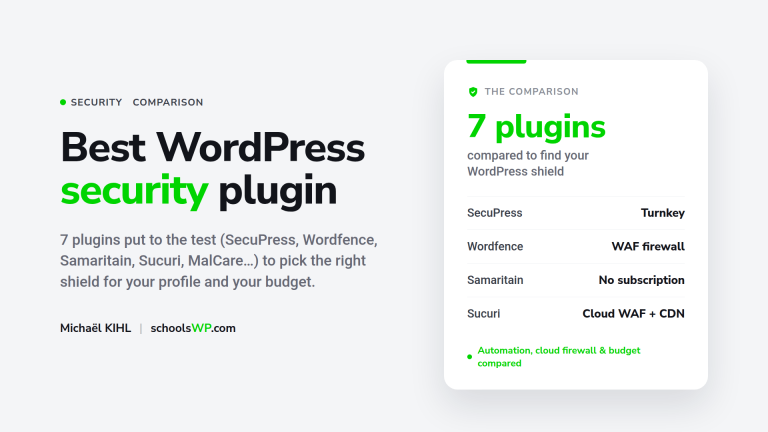
Of course, there are free alternatives on WordPress.org (Wordfence Free, MalCare). But they don’t offer the same level of French-language support or the same ease of multisite deployment. For a pro, the decision is a no-brainer. Security is an investment. To see how Samaritain stacks up against other solutions, check out my comparison of the best WordPress security plugins.
Don’t forget to pair this with a good hosting provider like Copilhost for maximum protection.
To help you make your choice, here’s a summary of the key points I observed during my test:
- Strengths: no subscription, responsive French-language support, GPL v2 license, easy to get started, sliding-scale pricing per site.
- Weaknesses: minimalist interface, no active server-side malware scanning (Wordfence is still a good option if that’s what you need), no free trial version.
Choosing this WordPress security solution guarantees a hardened core, simplified management, and zero hidden subscription fees. By installing your license, you secure your digital assets for the long term. Protect your projects today: this review of Samaritain Security confirms that a robust defense is the foundation of your peace of mind.
Wordfence remains a good choice if you’re looking for active server-side malware scanning, a security team that acts on your alerts, or a firewall with real-time managed rules. Samaritain Security operates on a different level: light preventive hardening, not active remediation.
How schoolsWP Can Help You
Choosing a security plugin is a starting point, not the end goal. On schoolsWP, I help freelancers and agencies build a comprehensive protection strategy that goes beyond simply installing a single tool.
Sign up for the schoolsWP newsletter: one email per week with my real-world insights on the WordPress plugins I test, and the considerations I weigh before making a recommendation. Join the schoolsWP newsletter.
FAQ: Your Questions About Samaritain Security
Answers to the most common questions to help you make your decision.