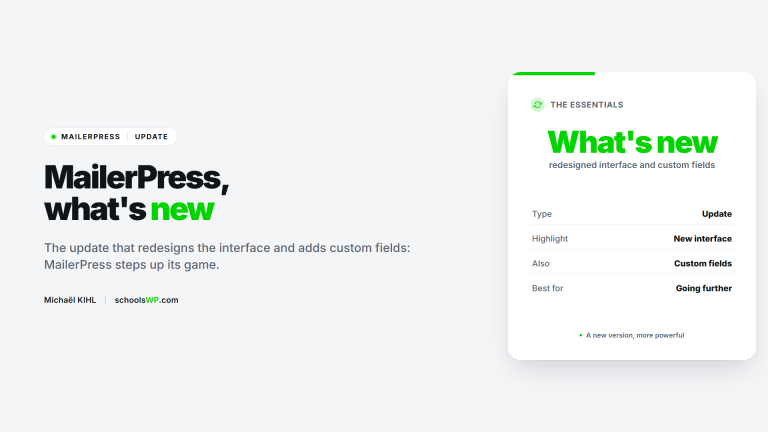
MailerPress WordPress: Integrated and unlimited email marketing

Key takeaway: MailerPress centralizes email marketing directly in WordPress, eliminating the need for costly external platforms. This native approach guarantees total control over your data and perfect graphic consistency with your website. A major differentiating factor is that the solution allows you to manage an unlimited number of contacts and lists, even in the free version.
Why pay for multiple expensive subscriptions when the MailerPress WordPress plugin lets you centralize your campaigns directly in your usual interface? This native solution eliminates technical friction by giving you complete control over your lists and data. Here, we analyze how its AI-assisted editor and integration features transform your site into a powerful marketing tool.
MailerPress, email marketing integrated into WordPress
Centralized management without leaving your dashboard
No more exhausting back-and-forth between your site and an external platform. MailerPress is an email marketing plugin that lives entirely within WordPress. Here, all your data and contacts remain on your own server, ensuring maximum security and flawless GDPR compliance.
Why pay more as your list grows? By centralizing everything, you avoid the recurring monthly costs of SaaS , which skyrocket with volume. Finally, you have control over your budget.
This approach is particularly appealing to agencies, freelancers, and demanding e-merchants. It’s a solution for agencies, freelancers, and marketers who refuse to delegate control of their most valuable asset.
A visual editor that will feel familiar
If you know WordPress, you already know MailerPress. Its drag-and-drop interface, inspired by the WordPress block editor (Gutenberg), makes creation instinctive. There’s no learning curve—you can jump right in.
The WordPress email editor is incredibly powerful, intuitive, and easy to use. You can store an unlimited number of contacts and lists. A real asset!
The plugin is aligned with Full Site Editing (FSE). It pulls in your theme’s styles via theme.json for perfect brand consistency. Discover how Full Site Editing (FSE) unifies your visual identity.
- Create emails using drag-and-drop blocks.
- Automatic synchronization with styles.
- Easy integration of your site content (articles, products).
- Support for MJML templates for professional rendering on all email clients.
Features designed for efficiency
Now that we’ve seen how MailerPress integrates with WordPress, it’s time to see what it really has to offer in terms of features for your campaigns.
AI to speed up your content creation
The integration of AI in the Pro version goes beyond a simple technological gadget. It provides concrete assistance with writing: finding powerful subject lines, generating complete paragraphs, or rephrasing your text to maximize impact with your audience.
Simply ask it to create a presentation text for your new blog post, directly in the email editor. This saves a huge amount of time for content creators and marketers.
This feature firmly positions MailerPress WordPress as a modern tool, perfectly aligned with today’s needs for efficiency and speed in digital marketing.
Unlimited contact management and segmentation
Unlike many other tools, MailerPress allows you to manage unlimited contacts, lists, and tags, even in its free version. This is a clear differentiator that saves you the skyrocketing costs of typical external solutions.
The tool makes it easy to organize your contacts with precise tags so you can send highly targeted and relevant campaigns. No more blind mass mailings that damage your reputation.
Mailerpress makes designing newsletters as easy as writing a WordPress article. A lightweight tool with features worthy of the biggest names.
This comparison table summarizes the key technical and strategic differences between the two versions of the plugin.
| Functionality | Free Version | Pro Version |
|---|---|---|
| Contacts, lists & tags | Unlimited | Unlimited |
| Drag-and-drop editor | Yes | Yes |
| AI assistance | No | Yes |
| Premium sending integrations | No (PHP Mail/SMTP) | Yes (Brevo, SendGrid, Mailgun, etc.) |
| Support | Forum WordPress.org | Priority support |
Integrations and technical aspects: what you need to know
How your emails are sent: the issue of deliverability
Let’s be clear about how it works: MailerPress does not manage the sending of emails itself. It builds messages and orchestrates campaigns, but delegates the technical delivery to a specialist. This is a technical distinction that guarantees optimal deliverability. This way, you avoid frustrating blockages.
Why this technical choice? Sending from a traditional web host often leads straight to spam. By separating the roles, you protect your domain’s reputation and ensure that your messages actually arrive in the inbox.
For configuration, MailerPress integrates with third-party services via several methods:
- Custom SMTP server: to use your own configuration.
- Third-party services (Pro): native integrations with Brevo, SendGrid, Mailgun.
- PHP `mail()` function: basic option, but less recommended for bulk mailings.
The potential for e-commerce with WooCommerce
Many plugins overlook this aspect, but MailerPress integrates natively with WooCommerce. You can insert your products directly into your newsletters in just a few clicks, without complex code. This is a major asset for boosting your promotional campaigns. Your offers become instantly visual.
The team plans to go even further with automations such as abandoned cart follow-ups. This roadmap shows a clear ambition to support online stores. It’s not just a tool for bloggers.
This synergy makes MailerPress a credible alternative for e-merchants who follow our WordPress guides. It’s the ideal solution for centralizing marketing in your existing ecosystem.
MailerPress successfully simplifies email marketing by integrating it seamlessly into the WordPress ecosystem. With its intuitive editor, unlimited contact management, and attractive pricing model, it meets the needs of demanding creators. It’s a relevant solution for centralizing your efforts and optimizing your customer relationships without technical complexity.
Questions about MailerPress? I have the answers.
Get answers to a list of frequently asked questions.