LearnDash Review 2026: Is It Worth It for Your Courses?

You want to create effective online courses, but you feel lost facing all the LMS solutions out there? This article will guide you. We take a close look at LearnDash, a WordPress plugin capable of turning your website into a real training platform. Let’s explore its key features, its strengths, its limits, and most importantly, whether it’s the best choice to host your course content.
The verdict in short: our take on LearnDash ⭐ 8.5/10
LearnDash is a professional learning management plugin (LMS) for WordPress. It lets you create, sell and manage complete, interactive online courses. Known for its power and flexibility, it’s used by training organizations, freelancers and companies of all sizes.
✅ Strengths
- Very powerful drag-and-drop course builder.
- Native integrations with Stripe, WooCommerce, MemberPress.
- Sell courses individually, in bundles or as subscriptions.
- Gamification modules (badges, certificates, points).
- LearnDash takes no commission on your sales.
- The ProPanel add-on (advanced reporting) is included in every license.
❌ Weaknesses
- The learning curve is steep for true WordPress beginners.
- Some advanced features (e.g., multi-instructor marketplace) require paid add-ons.
- Support is in English and sometimes technical.
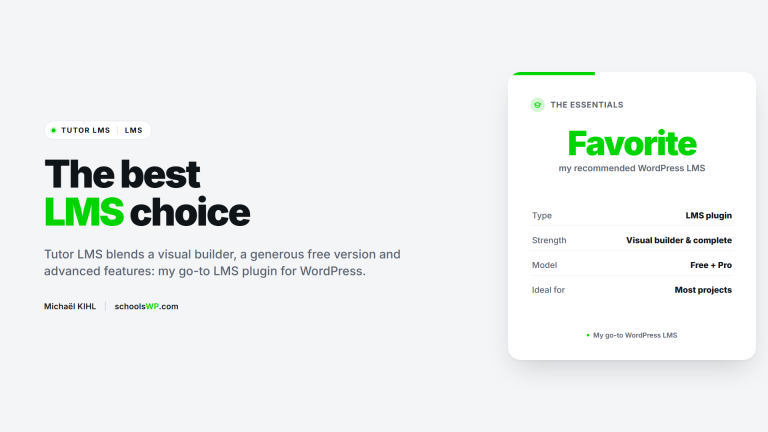
🔗 Looking for an alternative? Check out our full review of Tutor LMS, a solution winning over more and more creators.
Is LearnDash easy to get started with?
Yes and no. If you already know the WordPress environment well, the experience is fairly smooth. The drag-and-drop Course Builder is a real pleasure to use when structuring your content into lessons, topics and quizzes.
That said, for a complete beginner, the sheer number of options and settings can feel overwhelming at first. Thankfully, LearnDash offers a setup wizard and ready-to-use site templates (via the Kadence theme) to make initial configuration easier.

Selling your courses with LearnDash: does it work?
Absolutely, it’s one of its biggest strengths. LearnDash natively integrates payments through Stripe, PayPal and Razorpay. You can also connect it to WooCommerce for more advanced e-commerce options. Several sales models are possible:
- One-time payment: sell your courses individually.
- Subscriptions: offer recurring access (monthly, yearly…) to your courses.
- Course bundles: sell several courses together as a pack.
- Memberships: use the MemberPress integration to create tiered access levels across your entire site.
💡 Important: LearnDash takes no commission on your sales. All revenue is yours, minus the standard fees charged by your payment gateway (for example, ~2.9% + $0.30 for Stripe).
🛒 To maximize your digital product sales (courses, ebooks, bundles), discover SureCart, a modern alternative to WooCommerce that integrates beautifully with the WordPress ecosystem.
LearnDash’s key features
- Visual course builder: Organize your lessons, topics and quizzes by drag-and-drop.
- Advanced quizzes: 8 question types, question banks, timers, limited attempts…
- Drip-feed content: Unlock lessons on a defined schedule (e.g., one lesson per week).
- Assignments: Let your students submit files that you can then approve and grade.
- Custom certificates and badges: Automate the delivery of rewards at the end of a course.
- Group management: The built-in “Group Leader” role lets you manage student cohorts and track their progress. Ideal for B2B.
- Advanced reporting with ProPanel: A detailed dashboard (included in every license) to track student activity and quiz results in real time.
- Automated notifications: Send trigger-based emails (enrollment, course completion, etc.) through the included LearnDash Notifications add-on.
📚 Also check out our roundup of the best WordPress LMS plugins to build your training platform.
Who is LearnDash for?
LearnDash is a robust solution that fits many kinds of projects. It’s an excellent choice if you’re:
- ✅ An entrepreneur or course creator looking to build and sell one or more training programs.
- ✅ A company wanting to train its teams internally (onboarding, upskilling).
- ✅ A training organization or school looking to digitize its catalog.
- ✅ A content creator who wants to monetize expertise through online courses.
The schoolsWP recommendation: for the best interface and user experience, we suggest pairing LearnDash with a fast, well-coded theme like Kadence. Compatibility is excellent.
🧑🤝🧑 Want to add a real community dimension to your courses? Don’t miss our article on BuddyBoss, the perfect tool for building a private social network for your students.
How much does LearnDash cost? (2026 pricing)
LearnDash offers two pricing models: the plugin to install on your own WordPress hosting, or the all-in-one LearnDash Cloud solution. There is no free version.
1. The LearnDash plugin
This is the most popular option. You buy a yearly license that gives you access to the plugin, updates and support. Every plan includes the same features, ProPanel included. Only the number of sites differs.
- 1 site: $199/year
- 10 sites: $399/year
- Unlimited: $799/year (ideal for agencies)

2. LearnDash Cloud
If you don’t want to deal with the technical side (hosting, security, updates), LearnDash Cloud is a solid option. It’s an all-in-one platform that includes a preconfigured WordPress site with LearnDash and the Kadence theme.
- Starting at $29/month.

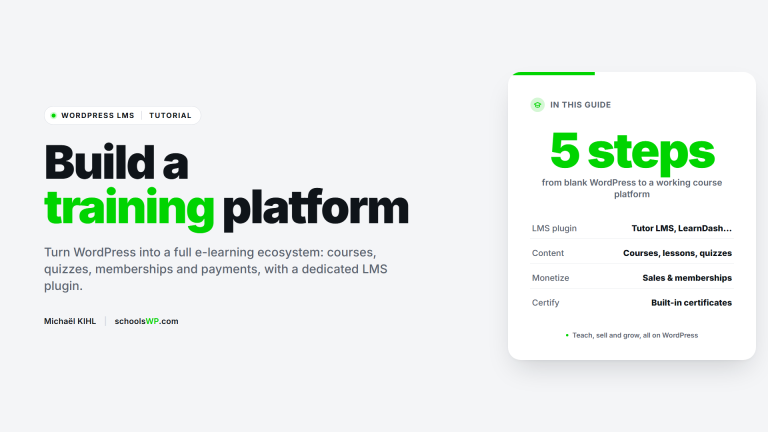
How to create a course with LearnDash (in 5 steps)
Once the plugin is installed, the process is fairly straightforward:
- Create a new course: Go to
LearnDash LMS > Coursesand click “Add”. Give it a title and description. - Structure the content: Use the “Builder” tab to add sections, lessons and topics by simple drag-and-drop.
- Add quizzes and assignments: Build your quizzes inside
LearnDash LMS > Quizzes, then insert them into the lessons of your choice. - Configure access and payment: In your course “Settings” tab, choose the access mode (Free, One-time purchase, Recurring) and set your price.
- Publish and launch: Click “Publish”. Your course is now live and ready to welcome its first students.
LearnDash vs its competitors (Tutor LMS, LifterLMS)
How does LearnDash compare to the other major LMS names on WordPress? Here’s a side-by-side table to help you see things clearly.
| LMS | Free version | Builder | Payments | Marketing | Gamification | Note |
|---|---|---|---|---|---|---|
| LearnDash | No | Yes | Yes | Advanced | Yes | ⭐⭐⭐⭐½ |
| Tutor LMS | Yes | Yes | Yes | Medium | Medium | ⭐⭐⭐⭐ |
| LifterLMS | Yes | Medium | Yes | Medium | Yes | ⭐⭐⭐⭐ |
Frequently asked questions about LearnDash
Can you have multiple instructors on LearnDash?
Yes, with a caveat. The built-in “Group Leader” role lets one person manage students within a group, but not create or edit courses. For a true multi-instructor platform (marketplace), where each instructor manages their own courses, you’ll need a complementary add-on like Instructor Role for LearnDash.
Is LearnDash compatible with any WordPress theme?
In theory, yes. LearnDash is designed to work with most well-coded themes. That said, for a flawless visual rendering and seamless integration, it’s strongly recommended to use a theme optimized for LearnDash, such as Kadence, Astra or GeneratePress. You’ll avoid manual CSS adjustments.
What is LearnDash’s refund policy?
LearnDash offers a 15-day “satisfaction or money back” guarantee on the plugin purchase. If you aren’t convinced, you can request a full refund within that window, no questions asked.
Conclusion: our final take on LearnDash
LearnDash is a complete, scalable and reliable LMS solution for WordPress. While it asks for a small learning curve up front, its power, integration ecosystem and advanced features make it an excellent choice to build a sustainable and profitable e-learning project.
It’s the tool we recommend if you have a long-term vision for your courses and want a platform that can grow with you. The upfront investment quickly pays off thanks to the flexibility and total control you get over your content and revenue.