Fluent Forms Free vs. Pro: The Complete Comparison [2026]


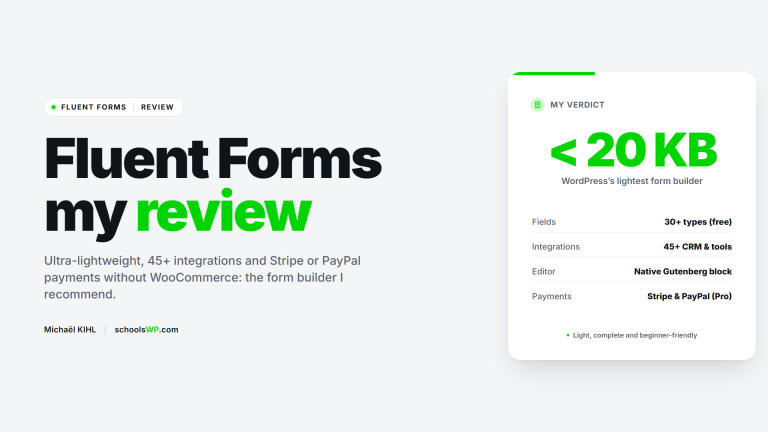
The free version of Fluent Forms perfectly covers basic needs, but the Pro version is essential for selling and automating. It eliminates the 1.9% Stripe surcharge, allows dynamic calculations, and connects the site to more than 60 third-party tools, ensuring data management without manual intervention.
Is it economically rational to limit yourself to the free offer, or does the analysis of Fluent Forms Free vs. Pro highlight hidden costs that are hindering your expansion? This article compares the two solutions factually to determine whether the payment commissions and integration restrictions of the standard version are actually hurting your business performance. We define the critical activity thresholds and specific functional requirements, such as conditional calculations or CRM connection, that make upgrading imperative to make your operations profitable.

*Enter the code schoolsWP20 at checkout.
What Fluent Forms offers for free today
Now that we’ve set the stage on the importance of forms, let’s see what the free version of Fluent Forms actually offers to get you started at no cost.
A visual interface with unlimited creative possibilities
Let’s be honest, no one likes coding forms by hand. Fluent Forms’ drag-and-drop interface is a game-changer for beginners who are allergic to code. Installation takes just two clicks, and the tool is immediately responsive. It’s intuitive, period.
You have access to more than 35 fields, including the essentials: text, email, and text boxes. These elements are more than enough to cover 90% of typical contact needs. You don’t need anything else to get started.
On the admin side, email notifications are easy to configure. You receive an instant alert for each submission so you never miss a hot lead. It’s simple, but incredibly effective.
Once the form is submitted, a success message is displayed to the user. This immediate visual feedback reassures the visitor that their request has been received. It’s a detail that matters a lot.
The best part? You can create as many forms as you need, with no artificial restrictions. To learn more, check out our guide to Fluent Forms WP: the ideal plugin for quickly and easily creating forms.
Built-in conditional logic and spam protection
The real strength of this free version lies in its conditional logic. You can dynamically hide or display fields based on the user’s responses. This is a feature that often comes at a price with competitors.
Forget about spam cluttering up your inbox thanks to native protection. The system integrates Honeypot and supports Google reCAPTCHA or Cloudflare Turnstile. These tools silently block bots without affecting the experience of your human visitors. Your forms remain clean.
For compliance, a dedicated consent field is available natively. This is essential for complying with European GDPR legislation on data collection. This allows you to avoid potentially heavy fines.
- Honeypot can be activated with a single click
- Google reCAPTCHA integration
- GDPR checkbox field
- Cloudflare Turnstile protection
In short, the plugin effectively secures your database from the outset. You can rest easy knowing your data is safe.
The limitations of the free version compared to the paid version
Stripe fees and lack of alternative gateways
In the free version, Fluent Forms charges an additional 1.9% commission on each Stripe transaction. This cost is added to the platform’s standard bank fees. In the long run, this “tax” unnecessarily eats into your margins.
The Pro version changes the game by removing this commission and opening the floodgates. You get access to PayPal, Mollie, and Razorpay, which are completely absent from the free version. The paid version also eliminates the financial burden of the plugin.
The math is simple: once you reach a certain sales volume, the Pro license pays for itself through the savings you make. You increase your profitability and unlock vital options.
| Criterion | Free version | Pro Version | Recommendation |
|---|---|---|---|
| Transaction costs | 1.9% (surcharge) | 0% | Pro for the margin |
| Available gateways | Stripe only | Multiple | Pro for flexibility |
| Recurring subscriptions | No. | Yes | Pros for the MRR |
| Discount coupon codes | No. | Yes | Pro for converting |
Automatic calculations to generate live quotes
Calculation fields allow you to create dynamic price estimates in real time. Users see the final price change instantly as they check options. This transparency immediately puts them at ease.
The management of promo codes and conditional discounts is also reserved for the Pro version. These marketing features are essential for triggering impulse purchases, turning a hesitant prospect into a confirmed customer.
An instant quote converts much better than a traditional contact form where the prospect has to wait for a response. It saves a lot of time for both you and them.
Optimize conversion with Pro features
Beyond the financial aspect, the Pro version of Fluent Forms revolutionizes the way your users interact.
Multi-step forms and conversational interface
Breaking a long form into several steps significantly reduces visual fatigue for your visitors. This segmented approach makes the task less intimidating. Mechanically, your completion rate increases.
Conversational mode transforms the experience by displaying one question at a time, similar to Typeform. It’s a modern and engaging method, perfect for maintaining attention on surveys or quizzes. The user stays focused, without distraction.
The “Save and Resume” feature allows users to stop and come back later via a unique link. This is an essential convenience for long or complex administrative forms.
To learn more, discover why Fluent Forms WP: the ideal plugin for quickly and easily creating forms remains an essential reference for your projects.
*Enter the code schoolsWP20 at checkout.
File collection and electronic signatures
Advanced download management allows you to receive various files such as images or PDFs. This is a crucial feature for efficiently managing applications or complete customer files.
The integration of electronic signatures allows you to sign directly with your mouse or on a touch screen. This allows you to validate contracts or legal agreements without ever forcing the user to leave your WordPress ecosystem.
Repeatable fields offer total flexibility by allowing users to add lines dynamically. This is ideal for listing multiple work experiences or ordering different products at once.
Advanced automation for increased productivity
Finally, the true power of Fluent Forms lies in its ability to connect your site with your entire ecosystem of tools.
Connect to CRMs and use Webhooks
Connecting Fluent Forms Pro to HubSpot or Salesforce radically transforms your lead management. Your contacts land directly in your database, without any manual entry. Your marketing data is always automatically up to date.
But the real power lies in Webhooks. This feature allows you to connect third-party tools without a specific plugin. It opens the door to endless automation with Zapier or Make. You literally run your business from your forms.
The double opt-in system ensures your marketing compliance. It guarantees a clean and truly engaged email list. This prevents you from polluting your database with invalid addresses.
To take it a step further, pair these forms with FluentCRM: the best WordPress CRM for marketing automation… to centralize your actions.
Content publishing and submission reports
Automatic article creation (Post Submission) allows users to submit content. This greatly facilitates the management of directories or guest blogs. You delegate the creation while moderating the result.
Visual data analysis is also a game changer. The dashboard includes accurate graphs and reports to track activity. You can monitor the performance of each form at a glance. You can immediately see what converts best.
Finally, advanced export of entries supports JSON, Excel, and CSV formats. This is perfect for processing data externally or making regular backups. Your information doesn’t remain trapped on the site.
Ready to take it to the next level? Take advantage of my special code schoolsWP20! to unlock its full potential.
While the basic offer is sufficient for blogs, the free vs. Pro Fluent Forms comparison leans toward the paid license when it comes to selling or connecting a CRM. Don’t let transaction fees limit your margins: adopt advanced features to turn every visitor into a loyal customer and make your site profitable.
*Enter the code schoolsWP20 at checkout.
Questions about Fluent Forms Free vs. Pro? I have the answers.
Get answers to a list of frequently asked questions.