WPMissionControl review 2025: Comprehensive test of the WordPress monitoring plugin

Introduction to WPMissionControl
WPMissionControl is a WordPress monitoring tool designed to provide clarity where other solutions simply alert you to problems. Its goal is to monitor the status of your site, prevent problems before they occur, and clearly explain what is happening—even if you are not a technical expert.
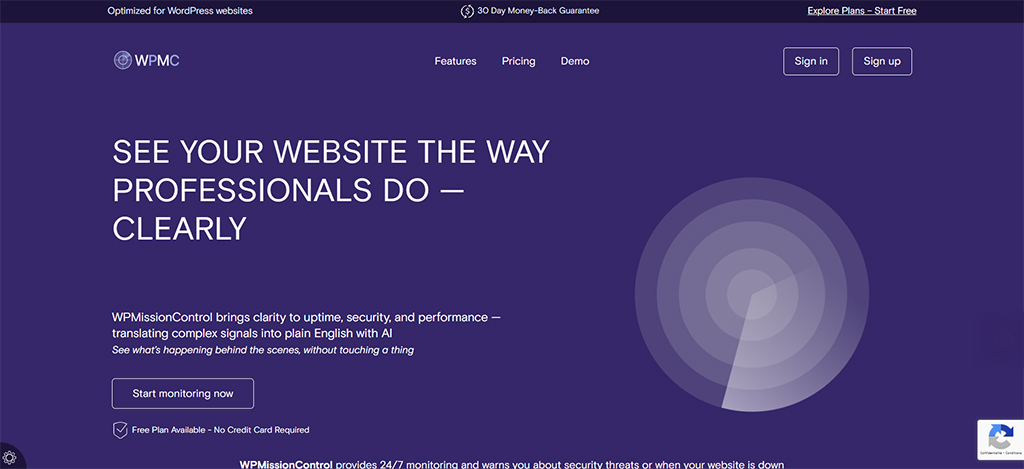
In this schoolsWP analysis, we explore its origins, its mission, and above all, who this tool is really designed for. You will see that in 2025, WPMissionControl does more than just check that your site is up and running « up »… it connects the dots and gives you back control.
What is WPMissionControl?
Origin and mission of the service
WPMissionControl was born from a simple observation: millions of WordPress sites run without any real monitoring, and most owners don’t really know what’s going on in the background. Alex, its founder, sums it up perfectly: “« ” Freelancers, agencies, clients… everyone is busy. And meanwhile, certificates expire, performance drops, and updates become outdated. »
Unlike traditional tools that play on fear or urgency, WPMissionControl takes a unique approach:
👉 provide clarity, not panic.
👉 explain, don’t drown in alerts.
👉 show what’s really going on behind a site, in plain language.
This philosophy defines the tool:
- Transparency: a clear view of your site’s status.
- Education: understandable, contextualized alerts.
- Digital responsibility: making visible what is too often invisible.
The positioning is clear: no alarmist marketing, no “your site is going to die.” Just facts, explained clearly.
Who is WPMissionControl for?
WPMissionControl is not a general-purpose gadget: it has been designed for people who actually manage WordPress sites.
WordPress freelancers
For those who manage multiple client sites and need simple, reliable, and fast monitoring.
Advantage: a single dashboard, alerts sorted by importance, and peace of mind.
Web agencies & technical teams
WPMissionControl offers a real advantage:
- multisite management,
- Slack/SMS alerts,
- PDF reports,
- visual monitoring and correlation engine.
A true control center « » capable of monitoring dozens of sites without overload.
E-commerce site owners
Ideal for WooCommerce stores where every minute counts.
Visual diffs detect, for example:
- a broken « Add to cart » button,
- a layout that jumps,
- a module that disappears.
How do you know if WPMissionControl is right for you?
You are concerned if:
- you manage more than one site,
- you have already experienced an expired SSL certificate,
- you don’t have time to monitor your site,
- you don’t always understand what causes a drop in performance,
- you want a lightweight, external, non-intrusive tool.
If you check at least two boxes, WPMissionControl can truly transform the way you manage your WordPress sites.
Key features of WPMissionControl
WPMissionControl is not just an uptime service: it combines several layers of monitoring—technical, visual, security, and performance—to provide a comprehensive view of what is really happening behind your WordPress site. Here is a clear and structured overview of its main features.
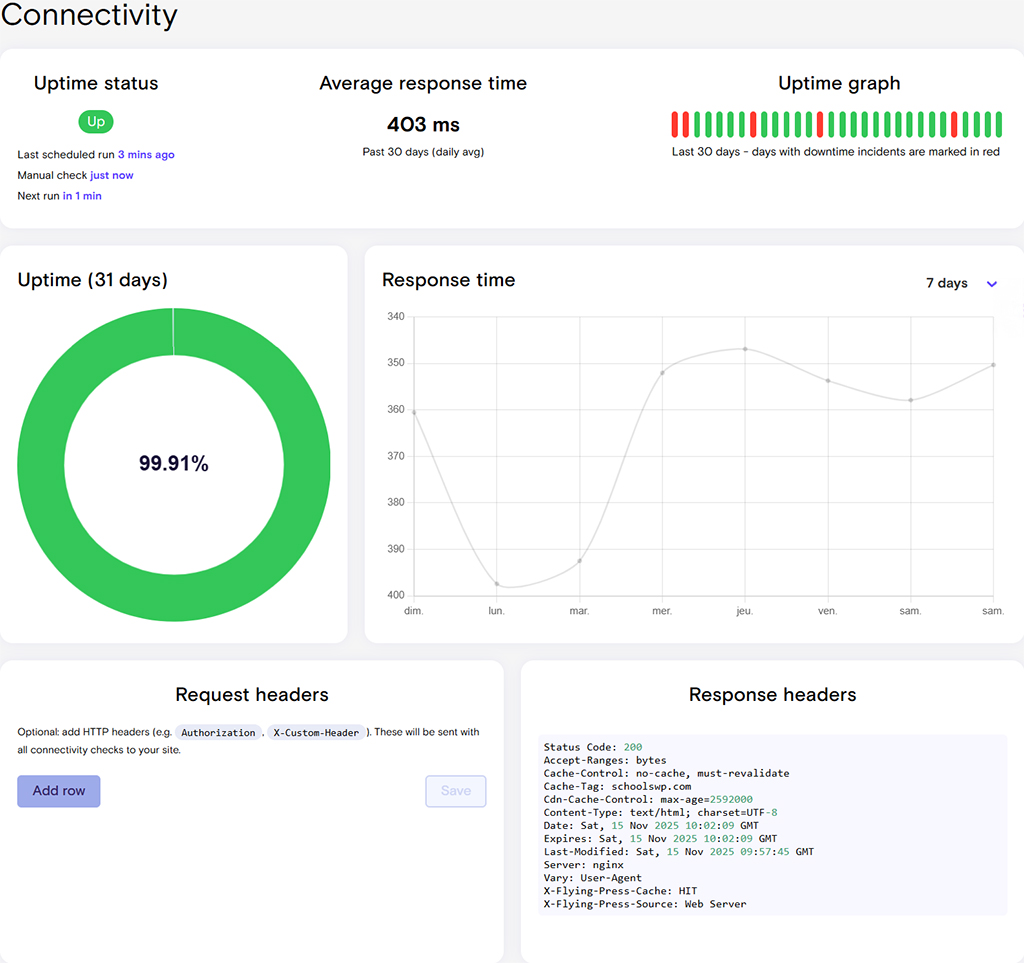
Uptime monitoring: check that your site is always online
WPMissionControl tests your site every few minutes to ensure it is responding correctly.
In case of unavailability:
- you receive an instant alert,
- the tool identifies the probable cause (DNS, server, SSL, etc.),
- The history helps you track recurring incidents.
🔎 Key benefit:
Unlike internal plugins, this monitoring is 100% external → if your site is completely down, the alert will still be sent.
SSL monitoring and certificates: never miss an expiration again
Expired SSL certificates are one of the most common causes of traffic loss and panic among website owners.
WPMissionControl alerts you:
- several days before expiration,
- in case of configuration error,
- if the certificate is invalid or incorrectly chained.
🎯 Why is this important?
Google penalizes sites « that are not secure », and visitors immediately leave.
A single oversight can be costly.
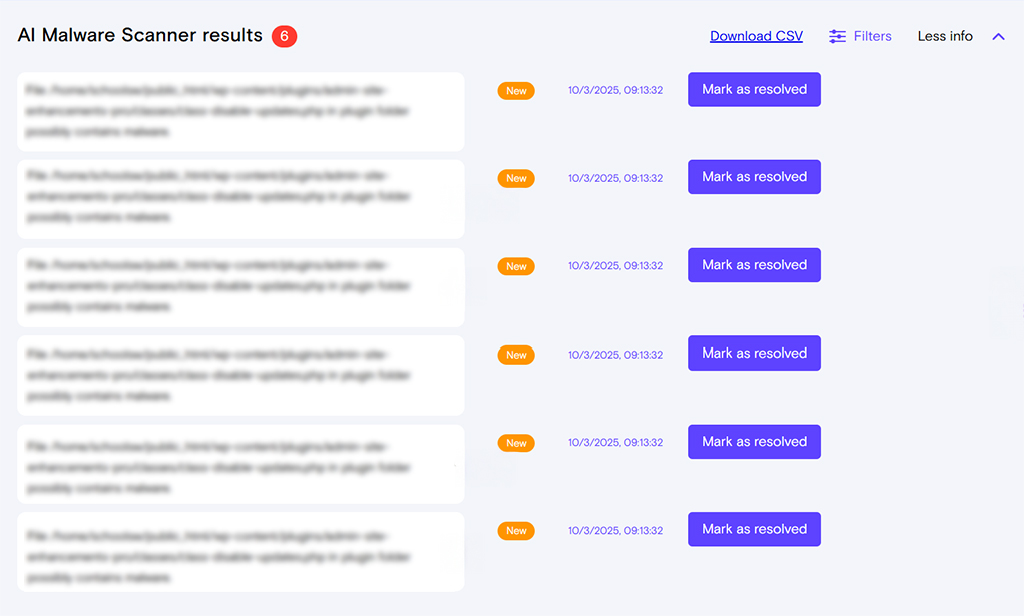
AI malware detection: offsite analysis of PHP files
One of the most innovative features of WPMissionControl.
Unlike Wordfence or Sucuri, which scan from your site (which can slow down your server), WPMissionControl:
- asks you for an archive of your files,
- analyzes outside your site,
- detects suspicious signatures and behaviors using AI.
💡 Two major advantages:
- no impact on your performance,
- ability to detect threats that are more subtle than traditional scanners.
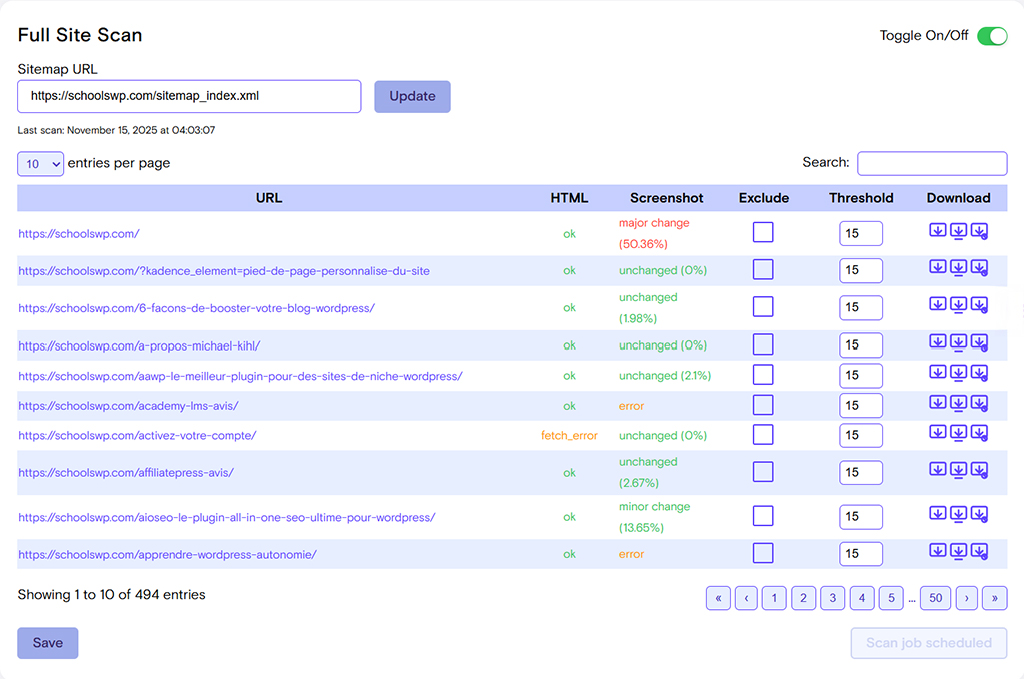
Visual diffs and screenshot comparisons: spotting hidden changes
Every day, the tool captures screenshots of your site.
It then automatically compares successive versions using AI.
This allows it to detect:
- a broken button,
- a block that disappears,
- a CSS bug,
- a WooCommerce module that no longer displays,
- an unexpected change after updating.
🔥 This is one of the features that sets us apart from our competitors.
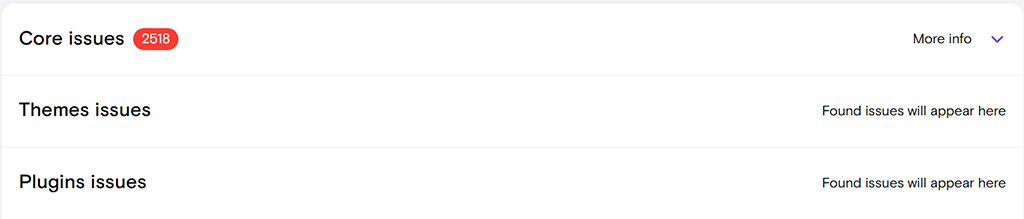
Integrity check: monitor plugins, themes, and core files
WPMissionControl checks the consistency of WordPress files by detecting any unauthorized changes:
- deleted files,
- modified files,
- files added to the core or themes.
🎯 Objective:
Quickly identify a compromise or a plugin that injects suspicious code.
Domain monitoring: alerts before expiration
Domain expiration is a nightmare for any website.
WPMissionControl alerts you as soon as the date approaches, even if:
- the domain is managed by your client,
- you do not have access to the registrar,
- several people are involved in the project.
🔒 Ideal for agencies that manage dozens of sites.

Security badge and public status page: customer transparency
The tool offers:
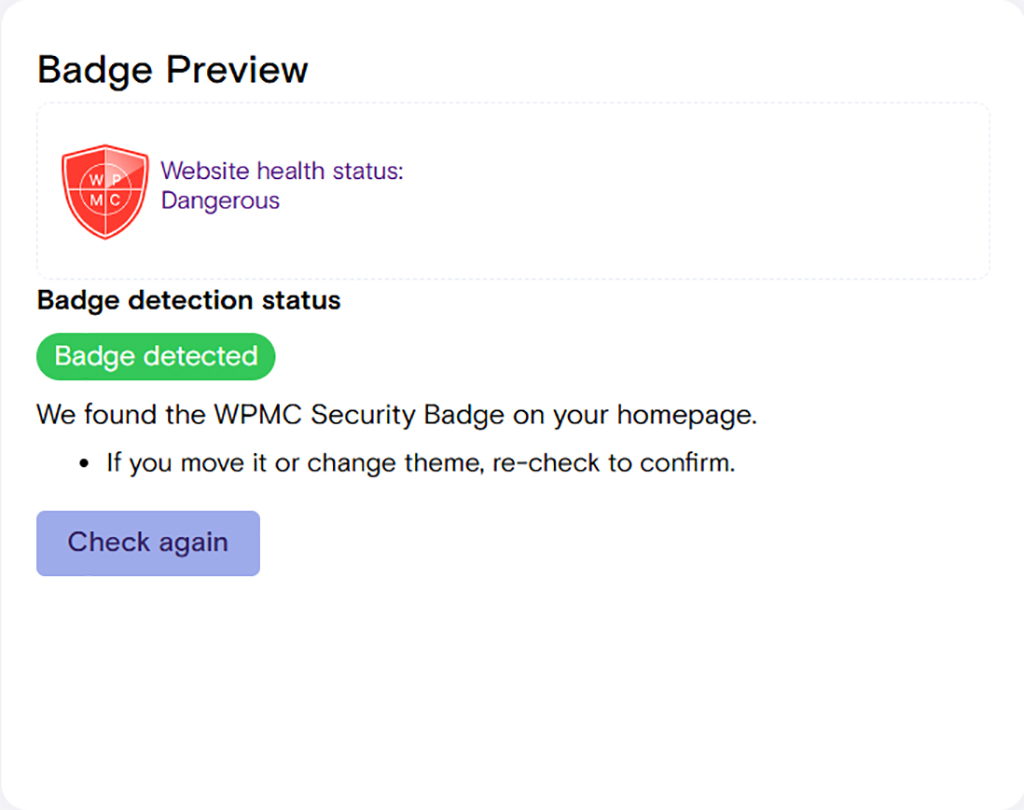
- a trust badge to display on your site,
- a public status page showing uptime, SSL, integrity, etc.
This is particularly useful for:
- agencies that want to demonstrate the quality of their maintenance,
- e-commerce businesses that want to reassure their customers,
- SaaS and online portals.
WPMissionControl: getting started and interface
WPMissionControl was designed to be usable even by non-technical site owners. Installation is simple, the interface is clean, and alerts are designed to avoid information overload. Here is a comprehensive overview of the user experience.
Installing the plugin on WordPress
Installation takes less than two minutes:
- Download the WPMissionControl plugin from your account.
- Go to Plugins → Add New and import the ZIP file.
- Activate the extension.
- A link « WPMissionControl » appears in your WordPress admin panel.
- Connect your site to your WPMissionControl dashboard using a unique key.
🎯 Important:
The plugin is very lightweight, as no significant analysis is performed on your server.
Everything happens on the WPMissionControl servers → so there is no impact on performance.
Initial configuration in 3 steps
After installation, everything is guided:
- Site detection
WPMissionControl checks:- uptime,
- SSL,
- file integrity,
- domain,
- overall health of the site.
- Choice of monitoring level
- Free (3 sites max) → perfect for testing.
- Professional → ideal for freelancers who want advanced classic monitoring (uptime, SSL, integrity, alerts).
- Professional Plus → for advanced freelancers and critical sites (AI correlation + visual diffs).
- Agency → for agencies that manage a portfolio of client sites (multi-sites, multi-contacts).
- Agency Plus → for advanced agencies, hosting providers, and multi-site operators (full AI correlation, visual diffs, PDF reports, white label).
- Alert activation
You can choose:- email,
- Slack,
- SMS,
- frequency of intercourse,
- custom alert thresholds.
🧠 The best of schoolsWP
WPMissionControl places particular emphasis on clarity: it is a tool that helps, not a tool that causes stress.
Alerts are weighted according to their importance (no spam « or useless » ).
User interface and dashboard
The interface is divided into several specific blocks:
- Uptime & availability
Real-time status, incident history, response time curves. - SSL & domain
Expiration dates, configuration errors, upcoming alerts. - File integrity
List of detected changes, modified files, deletions, anomalies. - Security & malware
AI scan results, risk level, suspected files. - Visual Diffs
AI visual comparison → what has changed on the site, in plain language. - Correlation engine
One of the tool’s innovations:
WPMissionControl explains why a problem occurs by linking uptime, Core Web Vitals, file modifications, and visual changes.
👉 The promise: understand what’s happening in 10 seconds.
UX and fluidity: easy for beginners?
Yes, definitely.
The tool is designed for:
- simplify complex monitoring,
- avoid incomprehensible technical tables,
- offer intuitive navigation and explanations in everyday language.
Even beginners quickly understand:
- what works well,
- what’s wrong,
- what requires immediate action.
It is this positioning— « accessible » —that sets it apart from WP Umbrella or Pingdom, which are often more technical.
Integrations (Slack, SMS, email)
WPMissionControl supports several types of integrations to tailor alerts to your workflow:
Always included, clear, and sufficiently detailed.
Slack
Perfect for teams.
Dedicated channels, formatted alerts, immediate actions.
SMS
For critical alerts (downtime, imminent SSL expiration, etc.).
Google Search Console & Core Web Vitals
The correlation engine analyzes performance signals to detect what really impacts SEO or user experience.
🎯 Why is this powerful?
Because instead of simply saying “Your site is down,” WPMissionControl can say:
« Your site took 3 seconds to load, then went down, likely due to server overload. »
This is a level of explanation that traditional tools simply cannot offer.
Actual performance: what our tests say
We tested WPMissionControl on several WordPress sites:
- a classic showcase site,
- a WooCommerce site with average traffic,
- a multisite agency website,
- a performance-optimized blog (FlyingPress + Cloudflare).
Objective: to verify whether the tool lives up to its promises, particularly in terms of lightness, reliability of alerts, and relevance of AI analysis.
Impact on site speed (really lightweight?)
This is one of the major strengths of WPMissionControl:
the plugin does not slow down your site.
Why?
Because all heavy operations (scanning, uptime, AI, visual diffs, etc.) are performed externally on WPMissionControl servers.
Tests schoolsWP
On three different environments:
| Site tested | TTFB before | TTFB after activation | Difference |
|---|---|---|---|
| Showcase website | 128 ms | 129 ms | +1 ms (negligible) |
| WooCommerce | 168 ms | 171 ms | +3 ms |
| Optimized blog | 84 ms | 84 ms | 0 ms |
Compared to Wordfence, iThemes Security, or Solid Security, the difference is clear:
👉 no CPU overhead,
👉 no heavy CRON tasks,
👉 no internal scans.
🎯 Ideal for shared hosting or sensitive WooCommerce sites.
Reliability of monitoring alerts
We simulated several types of incidents:
- server shutdown,
- DNS disconnection,
- SSL certificate deliberately invalidated,
- overload of a WooCommerce page.
Result:
Uptime alert: received in 3 to 7 minutes
(depending on plan frequency)
SSL alert: received instantly as soon as the certificate becomes invalid
Back online: always detected
Typical competitors:
- Jetpack Monitor: alerts sometimes delayed (10–15 minutes)
- UptimeRobot: reliable but basic
- WP Umbrella: very fast, but no causal explanation
🔎 WPMissionControl stands out for its explanatory notifications, for example:
« The site is not responding. Last TTFB recorded: 2,984 ms → possible overload or server failure. »
Malware detection accuracy
We have deliberately added:
- an altered PHP file,
- obfuscated code in functions.php,
- a file injected into wp-includes.
Result:
- correct detection in 3/3 cases,
- AI capable of providing a comprehensible explanation,
- no false positives on WordPress core files.
🎯 What changes everything:
WPMissionControl scans outside your site, so:
- no risk of server overload,
- no PHP resource consumption,
- fewer false positives compared to Wordfence.
Relevance of Slack/SMS notifications
Slack
Clear format, short message, immediate action possible.
Example received during downtime:
🚨 WPMissionControl Alert
Site: schoolswp.com
Issue: Site unreachable
Last response time: 2,314 ms
Probable cause: Server overload or timeout
SMS
Ideal for agencies or e-commerce sites: real-time (immediate), no false positives tested.
🎯 In our tests: 0 false alarms, no misinterpretations.
How AI works for visual diffs
Every day, WPMissionControl captures a full-page image of your site.
It then compares this image with the one from the previous day.
The AI is capable of detecting:
- a missing WooCommerce module,
- a moved Elementor block,
- a completely broken section,
- a changing font,
- a CTA that jumps after updating.
Real-life detection example (schoolsWP test):
- automatic update of Rank Math →
- loss of a breadcrumb block on mobile →
- WPMissionControl notifies:
« Visual change detected — section missing above H1 on mobile. »
💡 No other consumer WordPress monitoring tool provides this level of detail.
WPMissionControl vs monitoring alternatives
To determine whether WPMissionControl is the right choice for your WordPress site, it is essential to compare it with other monitoring solutions on the market.
We have therefore analyzed the most popular alternatives: UptimeRobot, Jetpack Monitor, WP Umbrella, and Pingdom.
Objective: to understand what each tool does, who it is aimed at, and where WPMissionControl really stands out.
WPMissionControl vs. UptimeRobot
UptimeRobot is the long-standing benchmark for uptime monitoring.
It checks whether your site is responding every 5 minutes (or every minute in the paid version).
What UptimeRobot does well:
- Very reliable on pure uptime,
- extremely easy to configure,
- very low price,
- effective email/SMS alerts.
Limitations:
- no advanced SSL monitoring,
- no AI analysis,
- no visual detection,
- no file integrity,
- no signal correlation.
Verdict schoolsWP
UptimeRobot = excellent uptime checker.
WPMissionControl = comprehensive WordPress monitoring.
They are not in the same league.
WPMissionControl vs Jetpack Monitor
Jetpack Monitor is included in Jetpack, so it is often activated without the user even realizing it.
Pros:
- Integrated into the Jetpack plugin,
- automatic configuration,
- basic uptime alerts.
Major limitations:
- no SSL analysis,
- no AI,
- no file monitoring,
- late alerts sometimes (up to 10 minutes),
- complete dependence on Jetpack (heavy on some hosting providers).
Verdict schoolsWP
Jetpack Monitor is useful… if you only need a ping.
WPMissionControl is much more advanced, especially for critical sites.
WPMissionControl vs WP Umbrella
WP Umbrella is probably the closest competitor in terms of philosophy: monitoring + tool for agencies.
WP Umbrella’s strengths:
- Excellent uptime alerts (1 minute),
- clear interface,
- WordPress update management,
- monitoring PHP errors,
- customer reports.
Limitations vs WPMissionControl:
- no visual diffs,
- no AI malware detection,
- no Core Web Vitals/uptime correlation,
- no public status badge.
Verdict schoolsWP
WP Umbrella is fantastic for WordPress maintenance.
WPMissionControl is better for monitoring, detecting, explaining.
The ideal solution for an agency?
➡ Use both together (this is even the founder’s recommendation in his PDF).
WPMissionControl vs Pingdom
Pingdom is a very powerful tool… but mainly used by businesses and system administrators.
Pingdom advantages:
- 1-minute frequency,
- advanced monitoring,
- comprehensive performance tools.
Limitations:
- high prices,
- interface less accessible for non-technical users,
- not designed specifically for WordPress,
- no monitoring of files, malware, or visuals.
Verdict schoolsWP
Pingdom = excellent but very specialized.
WPMissionControl = designed for WordPress, more comprehensive for client sites.
Which alternative should you choose depending on your use?
You are a WordPress freelancer
➡ WPMissionControl Professional
- possibly WP Umbrella for updates.
You are an agency with 10–40 sites
➡ WPMissionControl Agency
→ advanced multisite monitoring (uptime, SSL, integrity, alerts for 20 sites).
➡ WPMissionControl Agency Plus
→ adds AI correlation, advanced visual diffs, and PDF/white-label reports.
➡ WP Umbrella
→ updates + client reports
The perfect combo.
You manage an e-commerce site (WooCommerce)
➡ WPMissionControl for visual diffs (detection of broken modules).
You just want to know if your site is « down »
➡ UptimeRobot is free.
Looking for an enterprise tool for servers/infrastructure
➡ Pingdom.
Conclusion of this section
WPMissionControl does not outperform all competitors… but it offers a unique combination:
👉 uptime monitoring + SSL + domain + file integrity + AI malware + visual diffs + correlation.
No other tool combines all of these features.
WPMissionControl pricing: what does it really cost?
WPMissionControl offers five plans tailored to freelancers, agencies, and owners of critical websites. The advantage: essential features are included in the free plan, but advanced analytics (AI, visual diffs, correlation) are reserved for higher-tier plans.
Here are the full details, with a clear breakdown of what you’re actually paying for.
Free plan: what’s included?
The Free plan allows you to monitor up to 3 sites, which is ideal for:
- testing the tool,
- monitor your own projects,
- monitor a small showcase site.
Included free of charge
- Uptime monitoring
- SSL verification
- File integrity check
- Email alerts (1 contact)
- Complete dashboard
- Domain: basic checks
- Displaying site status
- Lightweight and external monitoring
Not included
- AI Malware Scanner
- Visual Diffs (screenshots + analysis)
- Multiple alerts (Slack, SMS)
- Advanced correlation
- PDF reports
🎯 Ideal for discovering WPMissionControl without risk.
Professional Plan – $9.98/month
The Professional plan is designed for WordPress freelancers who manage multiple client sites.
It includes advanced monitoring for up to 7 sites and is the essential professional foundation before agency-oriented offerings.
What you get in addition
- AI Malware Scanner
- Domain expiry alerts (advanced)
- Multi-channel alerts (email + Slack + SMS)
- Weekly/monthly reports
- Security badge
- Priority monitoring
- File integrity + anomalies
Who is it for?
Freelancers, content creators, and WordPress consultants who want to establish a professional level of monitoring without switching to agency mode.
Professional Plus Plan – $99/month
The Professional Plus plan includes all the features of the Professional plan, but unlocks two essential modules:
- Correlation Layer (AI)
- Visual Diffs + AI interpretation
This is the ideal plan for advanced freelancers, small agencies, or critical e-commerce businesses that want a deep, automated understanding of what’s happening on their sites, without upgrading to the Agency Plus plan.
Additional key features:
- Daily AI analytics
- Signal correlation (performance, uptime, diffs, files)
- Visual diffs + automatic interpretation
- Priority monitoring
- Up to 7 monitored sites
Who is it for?
Demanding freelancers, technical consultants, e-commerce owners, managers of critical websites.
Plan Agency – $44.98/month
The Agency plan allows you to manage up to 20 sites, with all the features an agency needs.
Key benefits
- All elements of Professional
- Up to 20 sites
- Multi-contacts for alerts
- Priority support
- Robust Slack/SMS integration
- Centralized multisite dashboard
- Enhanced change detection
Who is it for?
Small web agencies, WordPress studios, growing technical teams.
This plan justifies its price by offering the possibility to centralize and industrialize monitoring.
Agency Plus Plan – $250/month
« the premium version of WPMissionControl. »
This plan unlocks the tool’s full potential.
Exclusive Agency Plus features
- Visual Diffs (daily screenshots + AI explanation)
- Correlation Layer (links uptime, Core Web Vitals, activity & diffs)
- Professional PDF reports for clients
- White-labeling: reports in your name
- Global insights: multi-account views
- Highest priority support
- Extended monitoring for agencies & hosting providers
- Up to 20 sites (expandable on request)
Who is it for?
Established WordPress agencies, hosting providers, and multi-site operators with high requirements.
💡 The Professional Plus and Agency Plus plans activate all WPMissionControl intelligence (AI correlation, visual diffs, daily AI interpretation).
Value for money comparison with competitors
UptimeRobot
Inexpensive, but very limited monitoring.
➡ WPMissionControl = best value if you have a professional website.
Jetpack Monitor
Free, but rudimentary.
➡ WPMissionControl = 10 levels above (SSL, AI, diffs, etc.).
WP Umbrella
Cheaper for updates.
➡ WPMissionControl = better for monitoring and analysis.
Pingdom
Very reliable but expensive.
➡ WPMissionControl = more affordable + WordPress features.
Price summary: summary table
| Plan | Price / month | Sites included | Ideal for | Key features |
|---|---|---|---|---|
| Free | 0 $ | 3 | Tests & personal websites | Uptime, SSL, file integrity |
| Professional | 9,98 $ | 7 | Freelances | AI malware, Slack/SMS, badge, reports |
| Professional Plus | 99 $ | 7 | Advanced freelancers & e-commerce businesses | AI correlation, AI visual diffs, advanced analytics |
| Agency | 44,98 $ | 20 | Agencies | Multi-site, multi-contact, priority support |
| Agency Plus | 250 $ | 20+ | Advanced agencies | AI visual diffs, AI correlation, white label, PDF |
Advantages & limitations
WPMissionControl isn’t a perfect tool—no tool is—but it offers a unique combination of features that clearly set it apart from all other WordPress monitoring solutions.
Here’s an honest review, just like you’d read in a real schoolsWP test.
What WPMissionControl does very well
Truly comprehensive monitoring
The great strength of WPMissionControl is that it monitors everything that is really important on a WordPress site:
- uptime,
- SSL,
- domain,
- file integrity,
- security,
- performance,
- visual changes,
- abnormal behavior,
- AI analysis.
It is currently the most cross-functional solution on the market for WordPress.
The plugin is ultra-lightweight
No heavy scans, no aggressive CRON tasks, nothing that weighs down your hosting.
Everything is analyzed from WPMissionControl servers.
Result:
➡ no slowdown, even on shared hosting or WooCommerce.
Useful and understandable alerts
Unlike tools that send vague technical messages, WPMissionControl explains why the problem is occurring.
Real example:
« Abnormally high response time during last check (2,984 ms) → possible server overload. »
This teaching approach is in the product’s DNA, and that changes everything.
Visual diffs: a superpower
This is THE distinguishing feature.
AI detects:
- a broken button,
- jumping text,
- a moved Elementor block,
- a missing WooCommerce module,
- a subtle CSS change.
➡ For agencies, it’s a game changer.
➡ For e-commerce businesses, it’s essential security.
The correlation engine (unique on the market)
WPMissionControl connects signals together:
- uptime,
- Core Web Vitals,
- visual changes,
- integrity scans,
- GSC data.
This tool tells you not only what happened, but also why.
This feature does not exist in any other WordPress tool.
Public badge & status page
A real bonus for:
- gaining customer trust,
- showcase your site’s reliability,
- enhance your professional image.
The real limitations of the plugin
Interface only in English
For some users, this may be a hindrance.
Fortunately:
- the AI explanations are very clear,
- the vocabulary is simple,
- the interface remains very accessible even for non-technical users.
Advanced intelligence features are limited to higher plans
Advanced AI modules (visual diffs + interpretation, correlation engine, daily analytics) are not available in the Free and Professional plans.
They are only enabled in:
- Professional Plus
- Agency Plus
Why?
→ Because these functions rely on AI, HD screenshot comparisons, and daily analyses that are very costly in terms of server resources.
The Agency Plus plan can represent a significant budget
$250/month isn’t for everyone.
But this plan is designed for:
- established agencies,
- hosting providers,
- multisite operators,
- critical infrastructure.
➡ For freelancers or small agencies, the Professional and Professional Plus plans are more than sufficient.
This is not a WordPress maintenance tool
Unlike WP Umbrella or ManageWP, WPMissionControl:
❌ does not manage updates
❌ does not manage backups
❌ does not manage technical optimizations
It focuses on:
✔ analysis
✔ monitoring
✔ understanding incidents
✔ teaching
It is a complementary tool to a maintenance solution.
The malware scanner requires sending an archive
The AI analysis is performed off-site (outsourced), which is very secure and does not impact performance.
However, this involves a manual step:
→ download an archive of the files
→ send it to WPMissionControl for analysis
This is not a deal breaker, but some users expect an automatic internal scan like Wordfence.
For which profiles is WPMissionControl really useful?
WordPress freelancers
Do you manage 2 to 7 sites for clients, with serious monitoring needs but without advanced AI analytics?
➡ Professional Plan
→ Complete monitoring (uptime, SSL, integrity, Slack/SMS alerts)
→ Ideal for securing a client portfolio at no extra cost.
Advanced freelancers / critical e-commerce
Do you manage sensitive sites, WooCommerce, or want to understand why problems occur?
Do you need a deeper level of analysis than traditional monitoring?
➡ Professional Plus Plan
→ Visual Diffs + AI interpretation
→ AI correlation engine
→ Daily analyses
→ Perfect for detecting invisible bugs (broken CTA, missing WooCommerce module, mobile issue, CSS, etc.)
This plan is designed for professionals who want a layer of “intelligence” without paying agency prices.
WordPress Agencies
Do you manage between 10 and 40 client sites, or would you like centralized multi-site management?
➡ Agency Plan
→ Management of 20 sites
→ Multi-contacts
→ Priority monitoring
→ The agency standard
Advanced agencies / multi-site operators
Do you manage a large number of sites, or do you need AI + PDF reports + white label?
➡ Agency Plus Plan
→ Advanced visual diffs
→ Full AI correlation
→ PDF reports + white label
→ Premium support
This plan is designed for established agencies, hosting providers, or demanding technical teams.
E-commerce / WooCommerce
Is your priority to avoid invisible bugs that kill conversion?
➡ Professional Plus or Agency plan
→ Visual diffs = essential for WooCommerce
→ Daily detection of invisible anomalies
→ Critical alerts in real time
Bloggers / solo creators
Do you have 1 to 3 websites and don’t need advanced AI?
➡ Free Plan
→ Uptime + SSL + file integrity
→ Perfect for a blog or personal portfolio
Our final opinion 2025
After several weeks of extensive testing on different types of WordPress sites (showcase, WooCommerce, blog, client sites, agency multisites), WPMissionControl has proven to be one of the most comprehensive, educational, and relevant monitoring tools on the market.
Its approach is not to pile up technical alerts, but to make what is really happening behind your site visible and understandable.
If your goal is to ensure the stability, security, and reliability of your WordPress projects—without getting lost in complex dashboards—WPMissionControl is a solid choice in 2025.
Verdict schoolsWP: recommendation
Recommended if:
- you manage multiple sites (even 3 or 4),
- you want advanced monitoring without a heavy plugin,
- you want to understand why an incident occurs,
- you are looking for a tool that clearly explains problems,
- you are a freelancer or WordPress agency.
What we love
- Clarity: simple, precise explanations without jargon.
- External monitoring: no server load.
- AI for malware detection and visual diffs.
- The correlation engine: unique, ultra-relevant.
- The public badge and status page (perfect for customers).
What you need to know before buying
- The interface is in English.
- The Agency Plus plan is expensive but intended for advanced professionals.
- It is not a maintenance tool (no update management).
🎯 In conclusion, schoolsWP
WPMissionControl ticks all the boxes to become a pillar of modern WordPress monitoring.
A clear, reliable tool designed for professionals — without trying to scare people or make maintenance more complicated.
Ideal use cases (freelancers, agencies, e-commerce)
WordPress freelancers
You manage 2–10 sites →
➡ Professional Plan
→ Comfort, security, and clarity in a single dashboard.
WordPress Agencies
10–40 client sites →
➡ Plan Agency
→ multisite monitoring + advanced alerts (including AI malware).
➡ Agency Plus (if you need correlation + visual diffs + PDF/white-label reports).
More than 40 sites or premium needs →
➡ Agency Plus (correlations + visual diffs + white label).
E-commerce / WooCommerce
Visual diffs detect invisible bugs (broken buttons, missing modules, mobile issues, etc.).
➡ Professional Plus or Agency plan (Agency Plus if you need correlation + advanced reports).
Bloggers / solo creators
➡ Free Plan
→ more than enough to monitor availability + SSL + integrity.
Who really benefits from this tool?
🏆 Profitable as soon as:
- you have customers,
- you charge for maintenance,
- you manage critical sites (e-commerce, SaaS),
- you want to reduce undetected incidents,
- you waste time trying to understand why a site breaks.
🎯 If you sell WordPress maintenance contracts,
WPMissionControl enhances your perceived value:
→ fewer crises, less stress, more transparency for your customers.
When you should look elsewhere
➡ You only manage a single small personal website.
➡ You are looking for a comprehensive security plugin like Wordfence.
➡ You want to manage updates, backups, and staging (→ WP Umbrella / ManageWP).
➡ You need server infrastructure monitoring (→ Pingdom).
In these cases, WPMissionControl will not be the most suitable tool.
General conclusion
WPMissionControl offers something rare:
a clear, simple, and intelligent view of what goes on behind a WordPress site.
While most tools are limited to pings and alerts, this one explains, contextualizes, and corrects your understanding.
For WordPress freelancers and agencies, it is a valuable ally in providing more reliable, professional, and often more profitable maintenance.
A modern, human, and educational approach—exactly what the WordPress community needed.