ClickWhale vs Pretty Links: Which is the best affiliate link shortener and manager?

WordPress is the tool of choice for developing websites and blogs, and in this digital strategy, links play a key role. To promote your offers or share quality content, it’s essential to use short, attractive and effective links. But what’s the best way to create and manage affiliate links?
There are tools designed to maximize the effectiveness of your links in terms of SEO, user experience (UX), and conversion rate.
This article highlights two must-have WordPress extensions for affiliate link management: ClickWhale and Pretty Links.
Offering the ability to shorten, customize, redirect, track and analyze your links, these plugins seem to do it all. But which one really stands out?
We’re going to evaluate their main features, advantages, disadvantages, costs, and the quality of their customer service. In the end, you’ll have clear information for choosing the perfect plugin for your affiliate link management.
Comparison of key features
Here we examine the key features of ClickWhale and Pretty Links, two WordPress extensions designed to manage and shorten affiliate links. My focus will be on three main criteria: ease of use and integration, customization with performance tracking, and finally, security and reliability.
Ease of use and integration
ClickWhale and Pretty Links stand out for their simplicity of use and ease of integration with WordPress, offering the ability to create, edit, redirect, and hide your links from the WordPress dashboard. They also support the import of links from other WordPress extensions such as Better Links or Thirsty Affiliates.
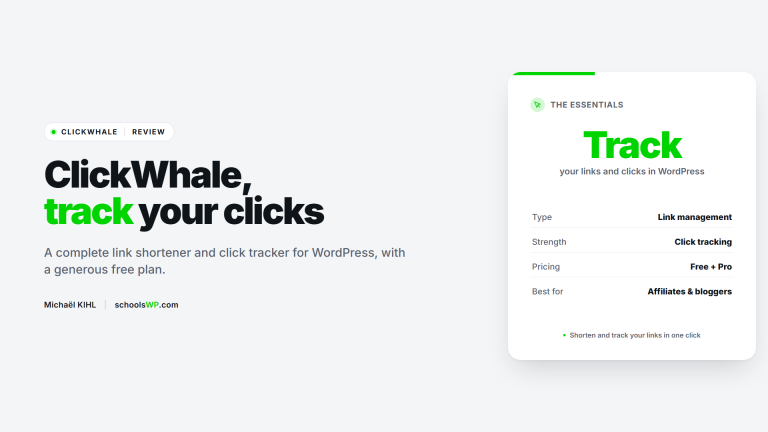
An advantage of ClickWhale lies in its ability to create custom link pages for social networks in the manner of Linktree, allowing you to gather your essential links into a single, easily shareable page. Pretty Links does not offer this feature.
Customization and performance tracking
Both plugins allow you to personalize your links by incorporating your domain name and brand identity, making them more engaging and credible to your visitors. What’s more, performance tracking with in-depth statistics such as number of clicks, views, conversions, sources, devices, etc., is available, helping you assess the efficiency of your affiliate campaigns so you can fine-tune them.
ClickWhale provides convenient tracking options on its link pages and supports adding analytics scripts to those pages. Pretty Links offers robust click tracking and reporting, and works well with Google Analytics via UTM parameters and events; firing third-party pixels is typically handled at the site or tag-manager level rather than inside the redirect itself.
Security and reliability
Both extensions are reliable tools for managing and cloaking links, helping you keep URLs clean and consistent for users and SEO.
However, link cloaking does not prevent copying, duplication, or malicious use, and these plugins do not guarantee protection against attacks. Always follow best practices for WordPress security and compliance when managing affiliate links.
Analysis of advantages and disadvantages
This section is dedicated to examining the pros and cons of ClickWhale and Pretty Links, two WordPress extensions designed for affiliate link reduction and management. My analysis is based on previously discussed criteria: ease of use and integration, customization and performance tracking, as well as security and reliability.
ClickWhale benefits
ClickWhale offers several key advantages over Pretty Links:
- Free access with features surpassing those of the paid version of Pretty Links.
- Ability to create customized link pages for social networks, similar to Linktree.
- Easy tracking with built-in analytics and support for adding tracking scripts on ClickWhale link pages.
- Options to manage how links are presented (for example, attributes and organization within link pages).
ClickWhale disadvantages
Despite its advantages, ClickWhale has a few drawbacks:
- Less well-known and popular than Pretty Links, which can impact its credibility and reputation.
- Newer on the market, implying a greater risk of bugs or compatibility problems.
- No customer support for the free version, unlike the limited support offered by Pretty Links.
Advantages of Pretty Links
Pretty Links also has a number of advantages over ClickWhale:
- More experience and stability thanks to its longevity on the market, ensuring superior reliability.
- Wider reputation and community due to its popularity and widespread use.
- Customer support for the free version and premium support for the paid version.
Disadvantages of Pretty Links
Pretty Links also has its weaknesses compared to ClickWhale:
- Pretty Links is available in a free Lite version; many advanced features (like automatic keyword replacements, advanced redirects, and more granular reporting) require a Pro plan.
- Lack of options for creating personalized link pages for social networks, like Linktree.
- It does not natively inject third-party pixels during redirects; pixel firing is typically configured via your site or a tag manager.
- Does not include access-control features for link pages.
Pricing and customer support
Here we explore pricing options and customer support at ClickWhale and Pretty Links. These two WordPress plugins make it easy to shorten and manage your affiliate links. Let’s find out which plugin represents the best investment and offers the best customer service.
ClickWhale pricing options
ClickWhale offers a free version with generous functionality alongside Pro plans that unlock advanced features. The free tier includes core link management and link pages, while Pro expands limits and adds more customization and analytics capabilities.
You can import links from other WordPress plugins and access detailed statistics; Pro tiers add more flexibility and priority support.
For those looking for expanded functionality and enhanced support, ClickWhale’s Pro plans are ideal. They increase quotas for links and link pages and provide advanced options for managing your link pages.
Current tiers and pricing can change; consult the official ClickWhale pricing page for the latest plans and costs.
Pretty Links pricing options
Pretty Links is available in a free (Lite) version with core link management features and Pro plans that unlock advanced functionality, additional redirect types, automation, and more detailed reporting.
Pro licenses are billed annually with different site limits by plan. For accurate plan names, site allowances, and standard (non-promotional) pricing, see the official Pretty Links website.
Pretty Links does not offer lifetime licenses; pricing is on a yearly basis with optional renewals for updates and support.
Customer support comparison
Both ClickWhale and Pretty Links provide documentation and support channels for users of their free versions, with expanded and faster support available to Pro customers.
Response times and scope of assistance vary by plan; if support quality is a deciding factor, review each vendor’s current support terms before choosing.
Conclusion
This article has explored the benefits and features of two WordPress plugins, ClickWhale and Pretty Links, designed to shorten and manage your affiliate links. ClickWhale stands out for its wide range of features, enhanced flexibility, and superior level of security, all free of charge.
Pretty Links, on the other hand, boasts stability, an excellent reputation and many years’ experience in the field, even if it has to be paid for and performs slightly less well than its competitor.
The question remains: which plugin should you choose to manage your affiliate links? The answer depends on your specific requirements, budget and personal preferences. For those looking for an innovative, no-cost solution, ClickWhale appears to be the recommended choice.
On the other hand, if you prefer a tried-and-tested, albeit paid-for option, Pretty Links may better suit your needs. Whatever your choice, each of these plugins promises to effectively optimize your links and increase your revenues.
Don’t delay in testing ClickWhale or Pretty Links to discover their benefits for yourself. I hope you’ve found this article informative and useful.
Thank you for your attention and look forward to hearing from you soon.
Questions about ClickWhale vs Pretty Links? Here are the answers.
Get answers to a list of the most Frequently Asked Questions.